The customer, their vehicle, and the open repair order on screen before you pick up. Ring groups, voicemail with transcripts, call recording, an AI receptionist, and texting from one business number — the one your customers already have. Included with Shop Commander® at $0/mo.
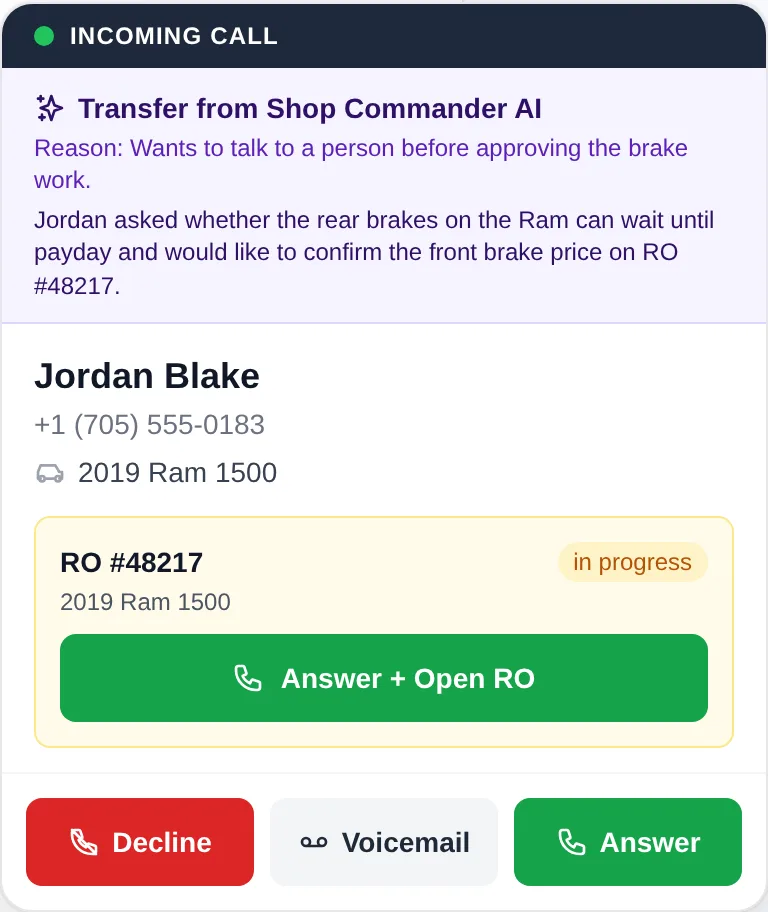
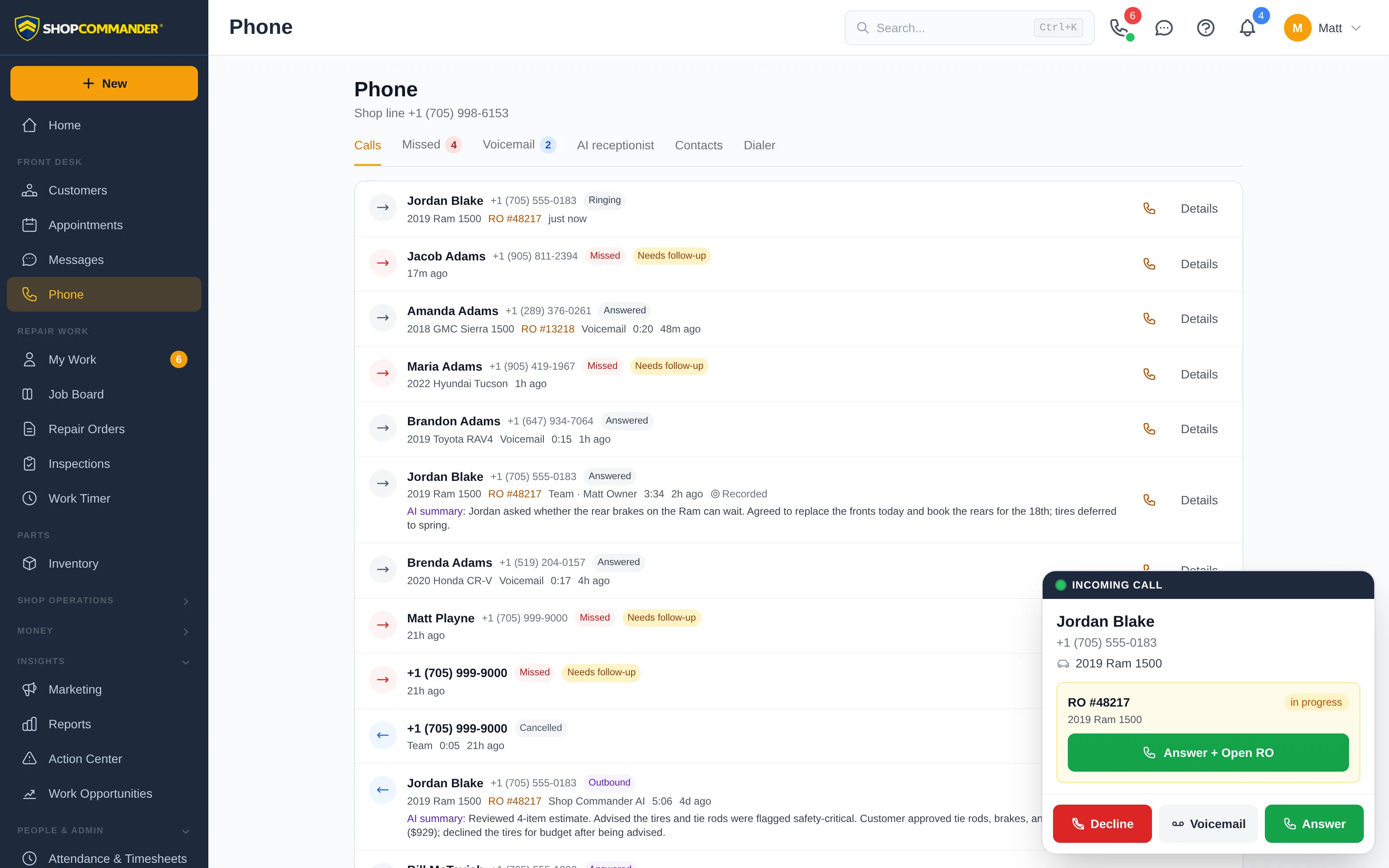
A ringing phone is a customer with a question. Shop Commander answers most of it before you say hello: the caller's record, their vehicles, the repair order that's open right now, and the appointment they're calling about are on screen the moment the line rings. Pick up knowing what the call is about.
The matched customer with their company, the number they're calling from, and the vehicle on file. If a number is shared by two customers, you pick which one before you answer.
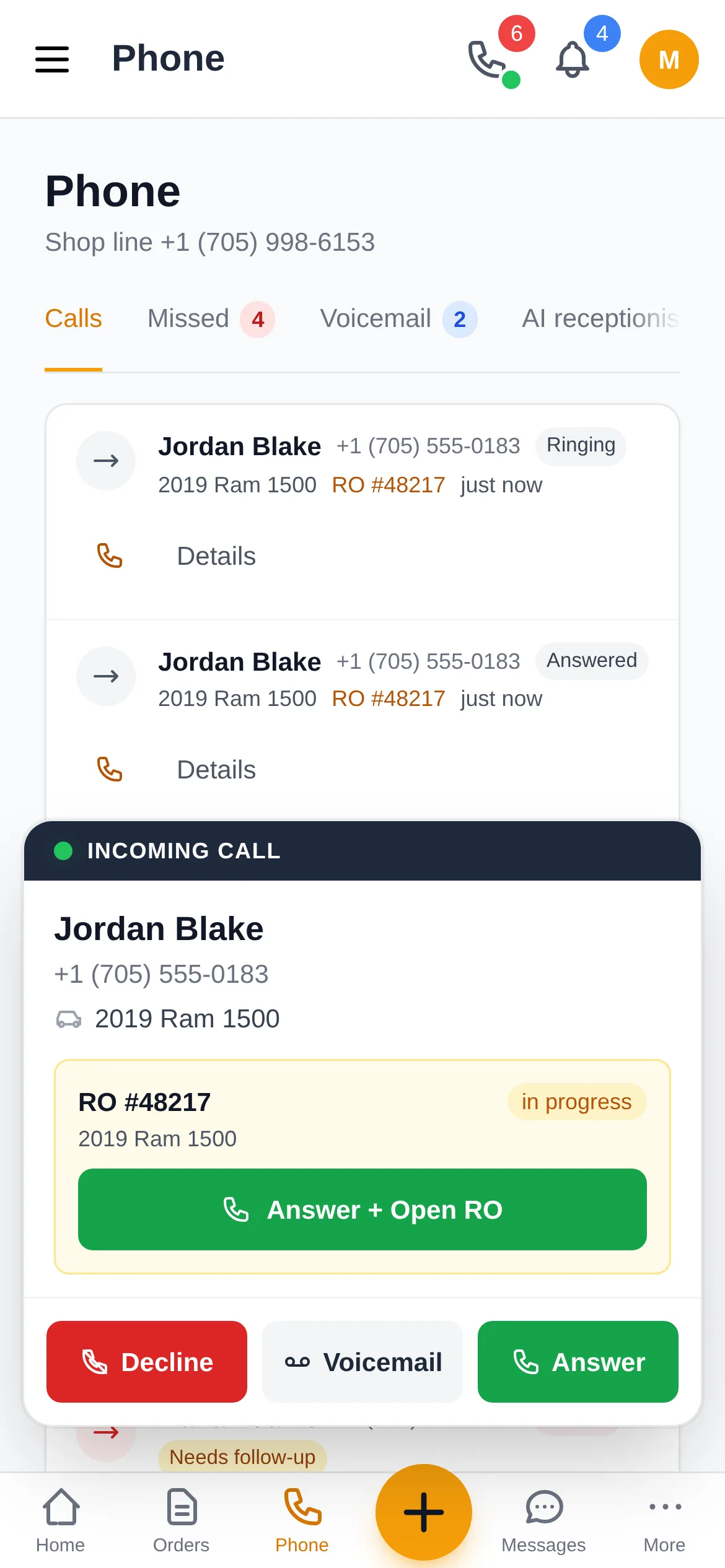
When the caller has an open repair order, its number and status are on the card, with a one-tap button that answers the call and opens the RO at the same time. Two open orders? Choose the one they're calling about.
Customers without an open order show their next appointment instead, so "am I still booked for Thursday?" is a glance. Customer alerts and do-not-call flags show on the card too.
When the AI receptionist transfers a caller to a person, the card carries the reason and a summary of what was said so far. Nobody has to start over.
Take the call in any modern browser or in the mobile app — no handset required. Hold and resume, mute, a full keypad for the customer's phone menu, and a picker for your headset or speaker.
Send the caller to a colleague, a ring group, voicemail, or an outside number. A warm transfer lets you speak to your colleague first while the customer waits on hold, then complete or cancel.
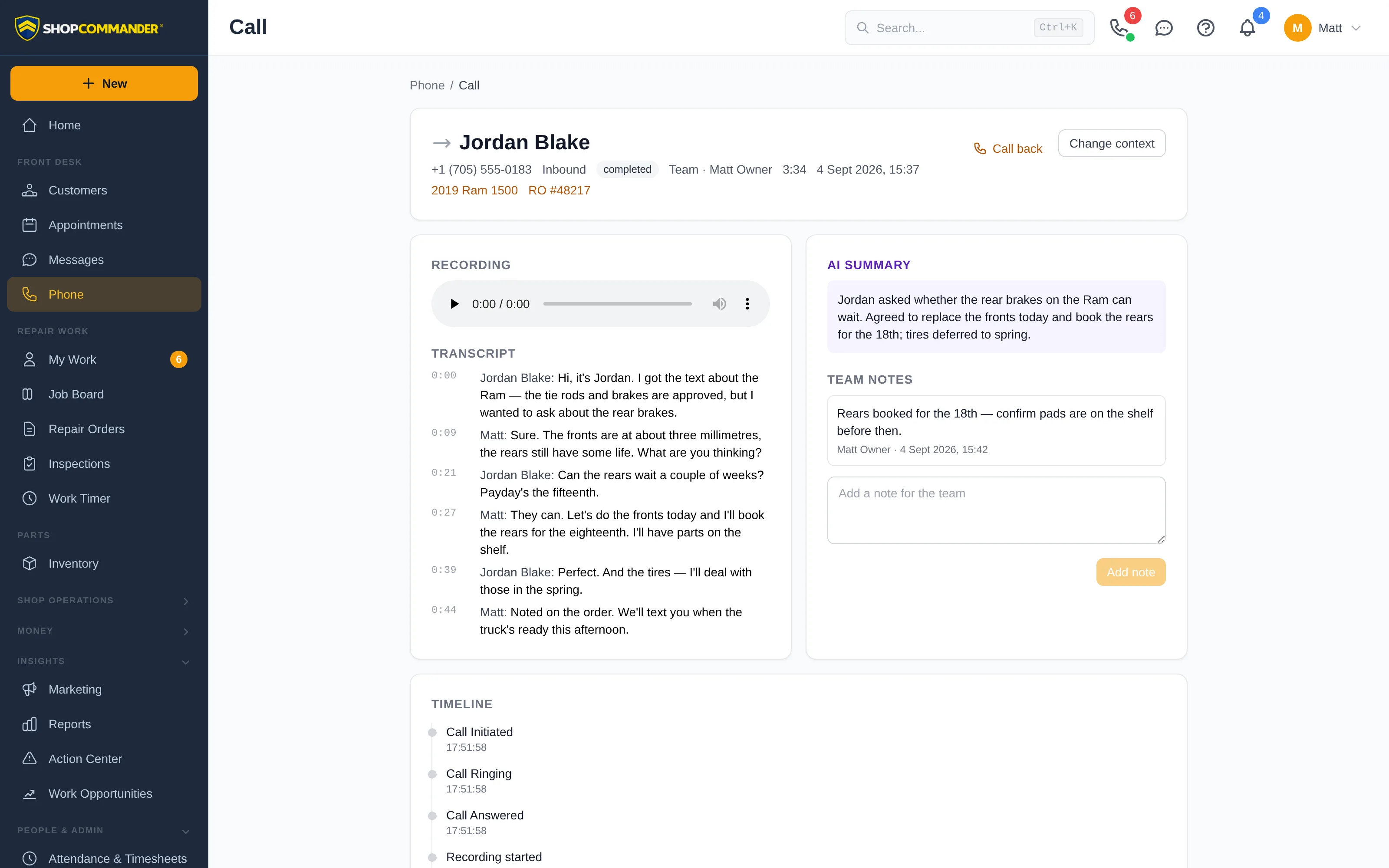
Add a note during or after the call. Notes stay with the call record, which is linked to the customer, the vehicle, and the repair order it was about.
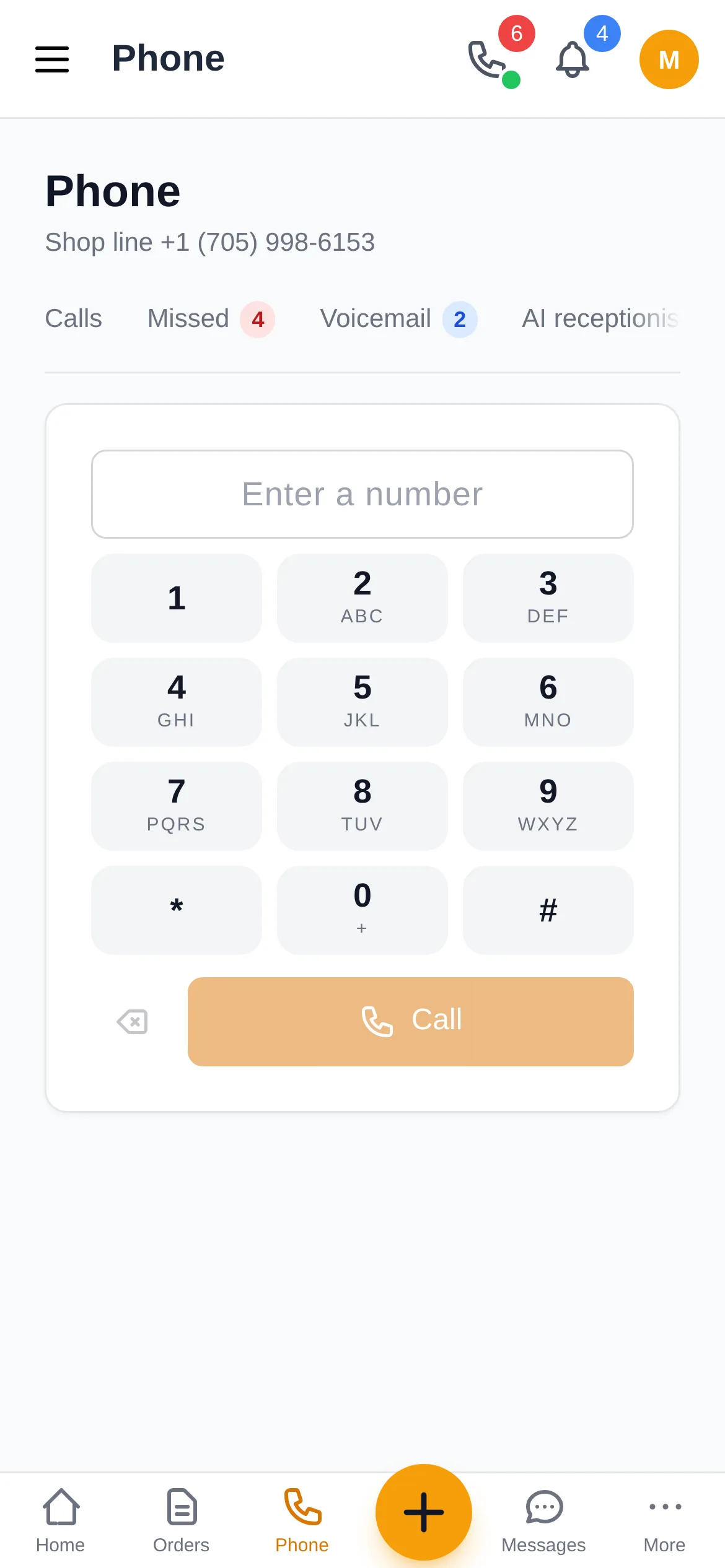
A phone icon on every customer, vehicle, repair order, appointment, and message thread places the call from your shop number and links the outcome to that record.
Wrong customer? Change the context on a live call or afterwards, and the call's history moves to the right record.
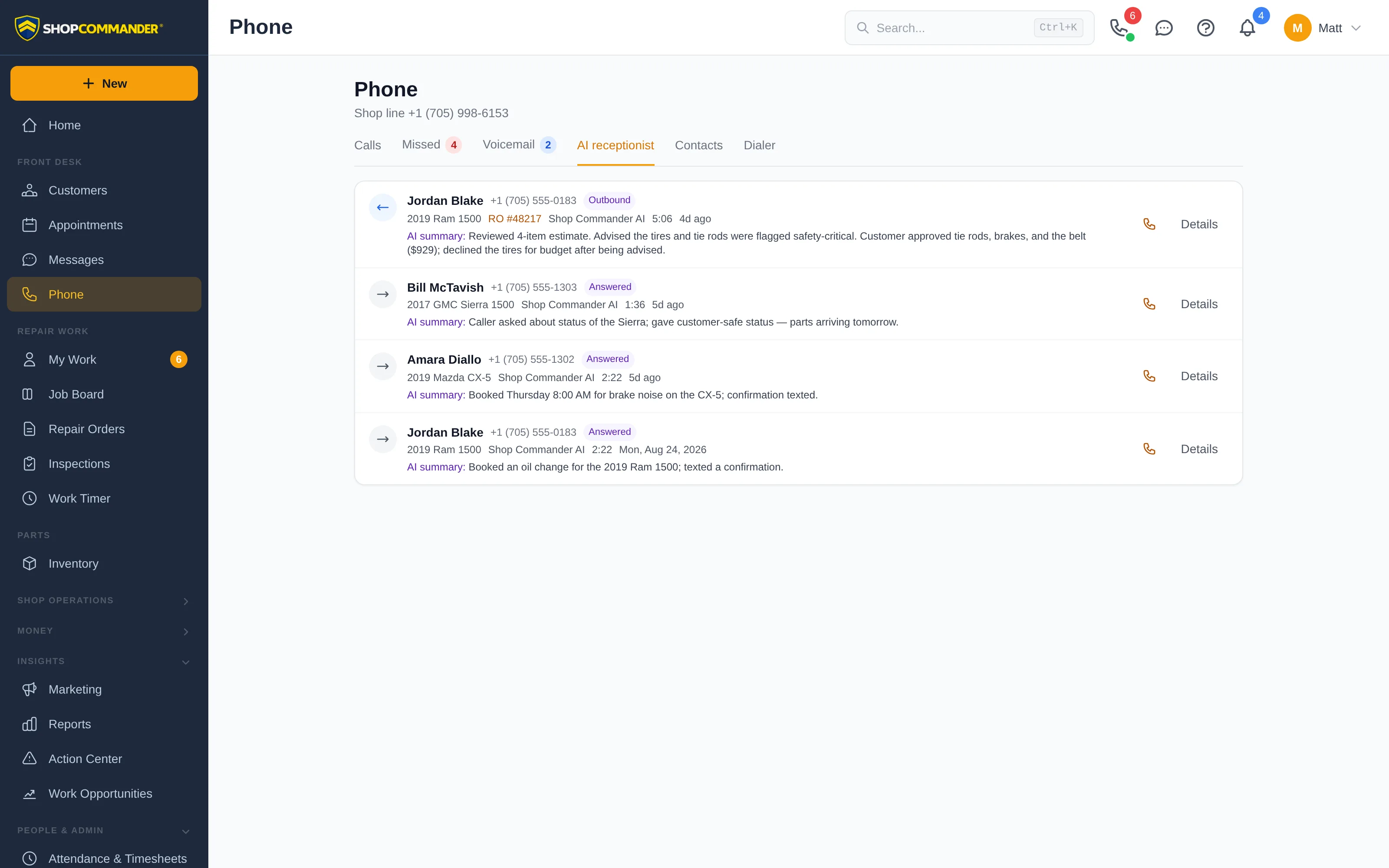
Every customer profile and repair order shows its calls with a plain-language outcome: answered by whom, missed, voicemail, AI receptionist, or forwarded.
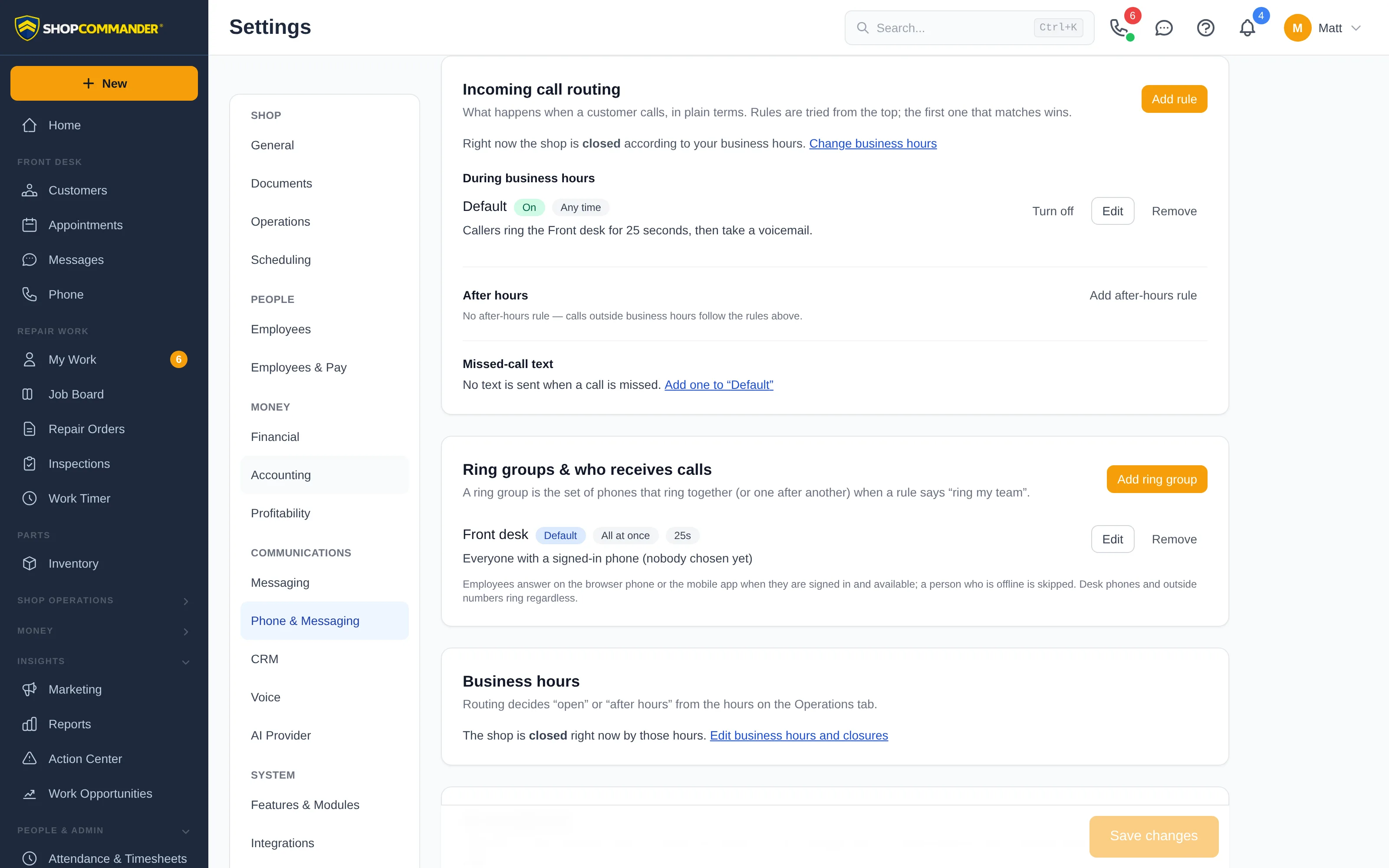
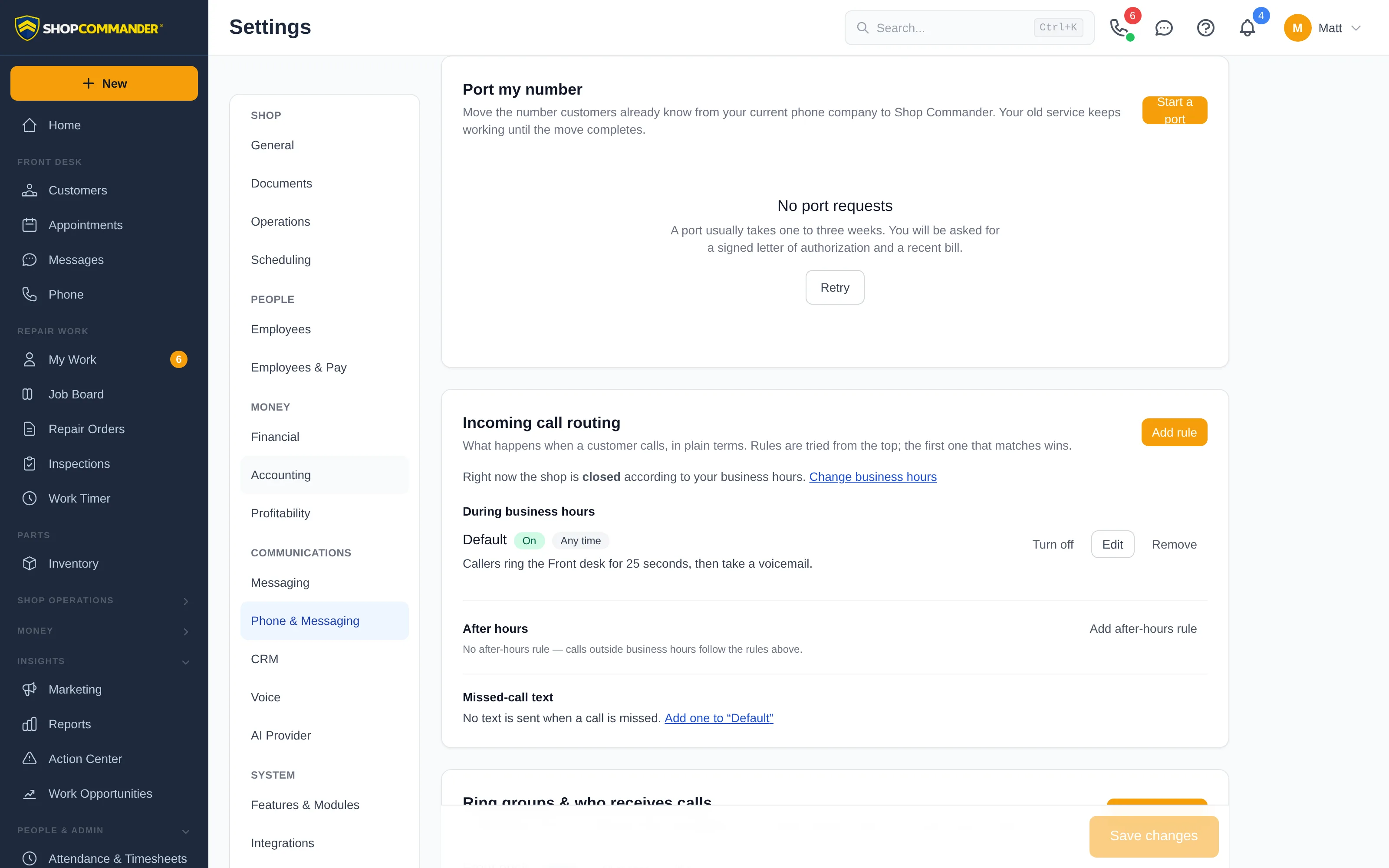
Routing rules read like sentences: "During business hours, callers ring the Front desk for 25 seconds, then send to the AI receptionist." Build one for business hours, another for after hours, and different ones for known customers and unknown callers. Rules are tried from the top and the first match wins.
Group the people and phones that should ring together: employees on the browser phone or the app, SIP desk phones, and outside numbers like an owner's cell. Ring everyone at once or one after another.
Staff set their own status. Someone already on a call is skipped automatically; someone on Do Not Disturb is skipped on purpose. Only signed-in, available phones ring.
When nobody answers in time: hand the call to the AI receptionist, take a voicemail, forward to another phone, or end with an announcement. Your choice per rule.
A rule can send a text to a customer whose call went unanswered — "Sorry we missed you, we'll call right back" — from the shop's own number.
The AI receptionist is a routing destination like any other: let it answer right away, ring your team first and hand over after 25 seconds, or only after hours. It looks the caller up, books, moves, and cancels appointments against your real availability, explains where a repair stands, walks through an estimate and records the customer's decision line by line, texts confirmations while it talks, and transfers to a person the moment the caller asks for one. Your team can take a live call over from the AI at any time.
Afterwards, the call page holds the full transcript, a short AI summary, and the timeline of what happened. The AI only uses what's in Shop Commander — it doesn't invent availability or prices. Hear real calls and read the guardrails on the AI Voice Advisor page.
Take and make calls on your shop's number from the Shop Commander app on iPhone and Android — at the parts counter, in the bay, or on the road. The incoming-call card is the same one your front desk sees: customer, vehicle, open repair order, one tap to answer. Missed calls, voicemail, transcripts, and the customer's text thread are all in your pocket, and the call you place from your cell shows the shop's caller ID, not your personal number.
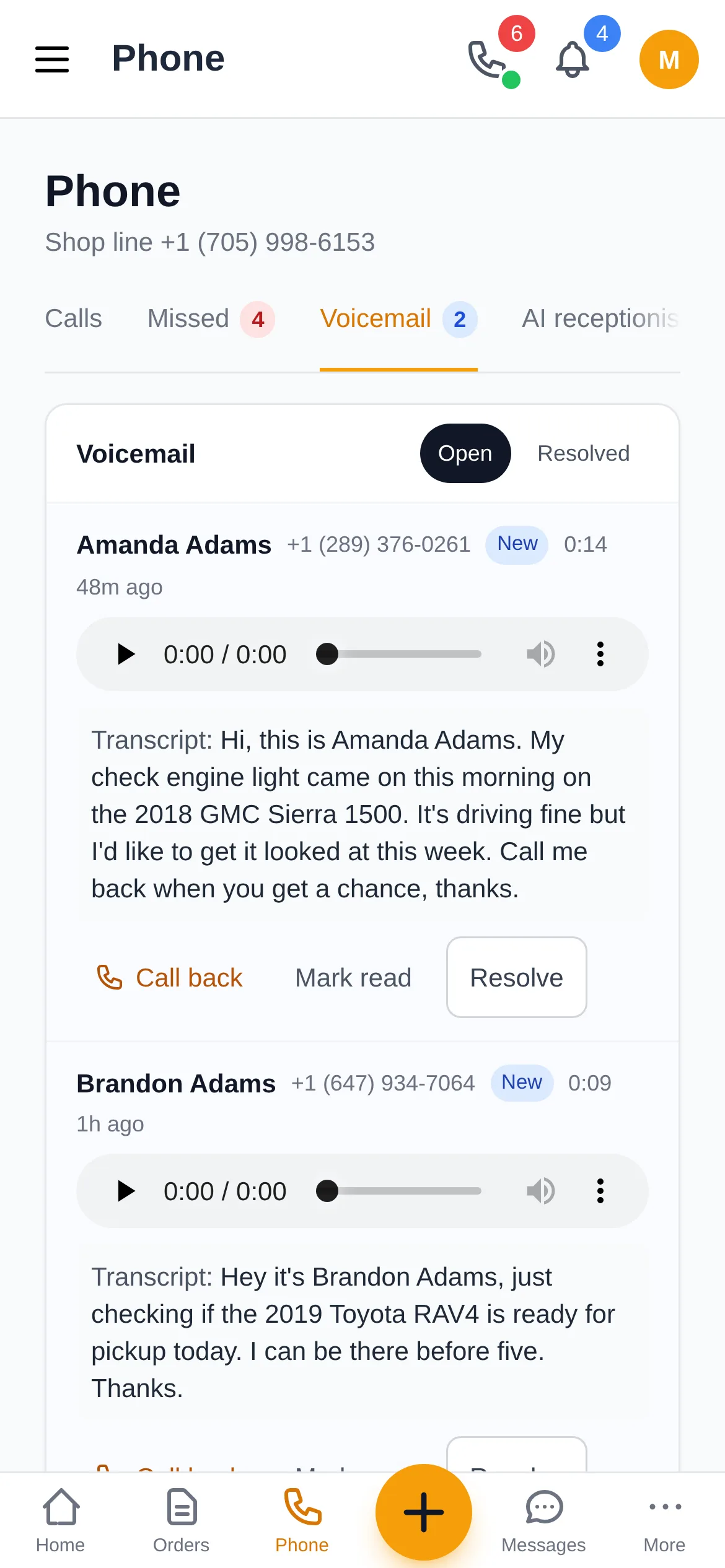
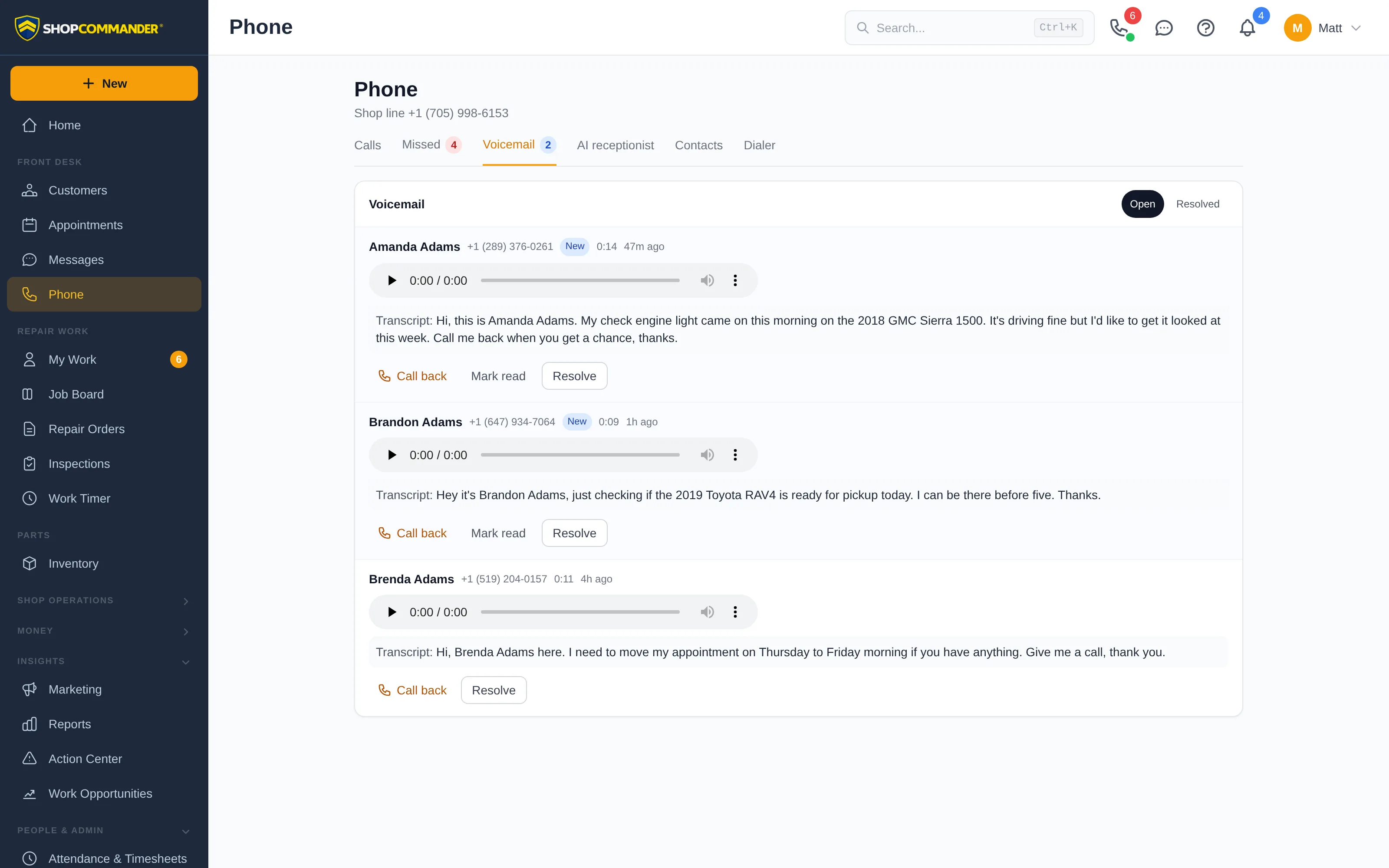
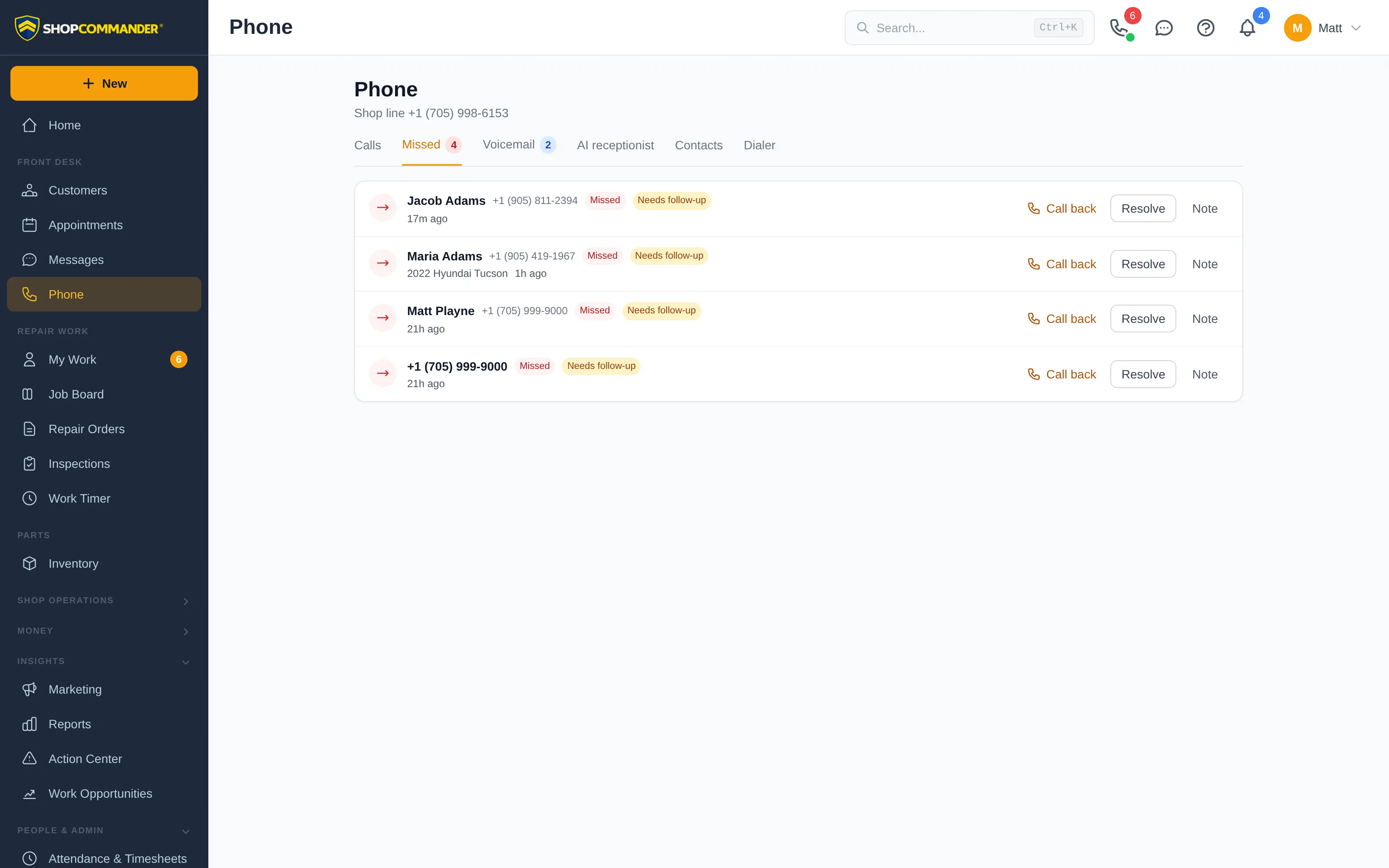
No more dialing in and pressing 1. Voicemails arrive in an inbox on the Phone page with an unread count, the caller's name and vehicle, the audio, and the message written out as text. Read it, call back with one click, and resolve it when it's handled. Missed calls that never reached voicemail sit in their own queue until someone calls back.
Turn on transcription and every voicemail is written out beneath the player. Skim the inbox in seconds; play the audio only when you need the tone of voice.
Write the greeting callers hear and set the longest message you'll accept. The greeting is read aloud by a natural voice, so a change takes effect the moment you save.
Calls nobody answered stay flagged as needing follow-up until you call back or resolve them. Add a note so the next person knows why.
Short-staffed today? Switch the line to voicemail-only or texts-only in one setting, and switch it back when the counter is covered.
"Did the customer say the rears could wait?" Open the call and read it. Staff calls, voicemails, and AI receptionist calls are written out with who said what, and each call gets a short AI summary so you don't have to read the whole thing. Team notes stay separate from the transcript, so what the customer said and what your team decided never blur together.
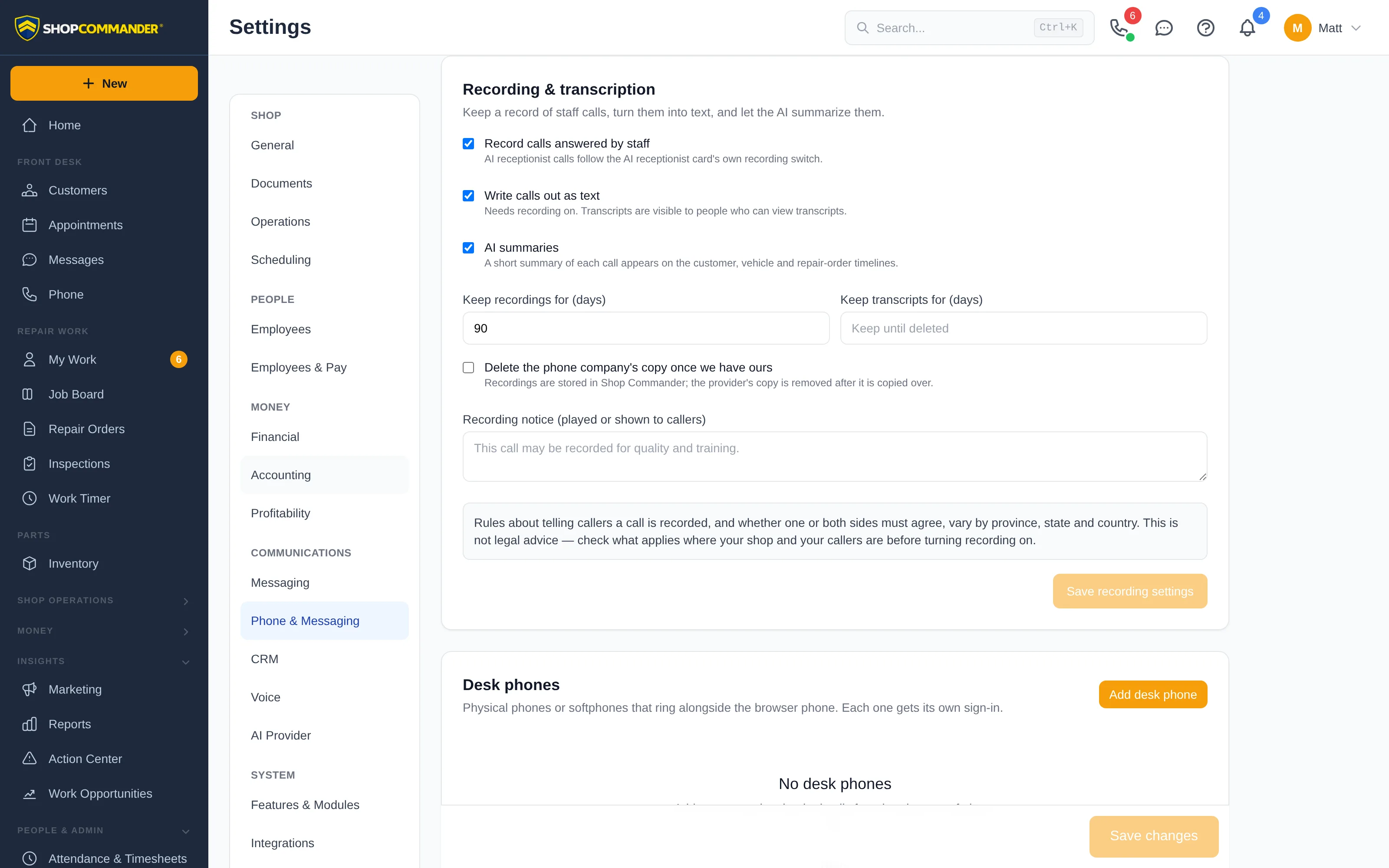
Recording is a switch you own. Turn it on for staff-answered calls, or leave it off and let staff start and stop recording on a call when it matters. Recordings are copied into Shop Commander's own storage and kept for as long as you decide, and you can have the phone company's copy removed once yours is safe.
Nothing is recorded by default. One setting records staff calls; a separate one covers AI receptionist calls. Either way, it's your decision, not a surprise.
Keep recordings for 30 days, 90 days, or as long as you like, with a separate limit for transcripts. When time is up, they're gone.
Listening to recordings and reading transcripts are separate permissions. Managers can review any call; a service advisor sees only the calls they handled.
Rules on telling callers a call is recorded differ by province, state, and country. Shop Commander keeps a reminder next to the switch and a place for your recording notice, so the policy you set is the one your shop follows.
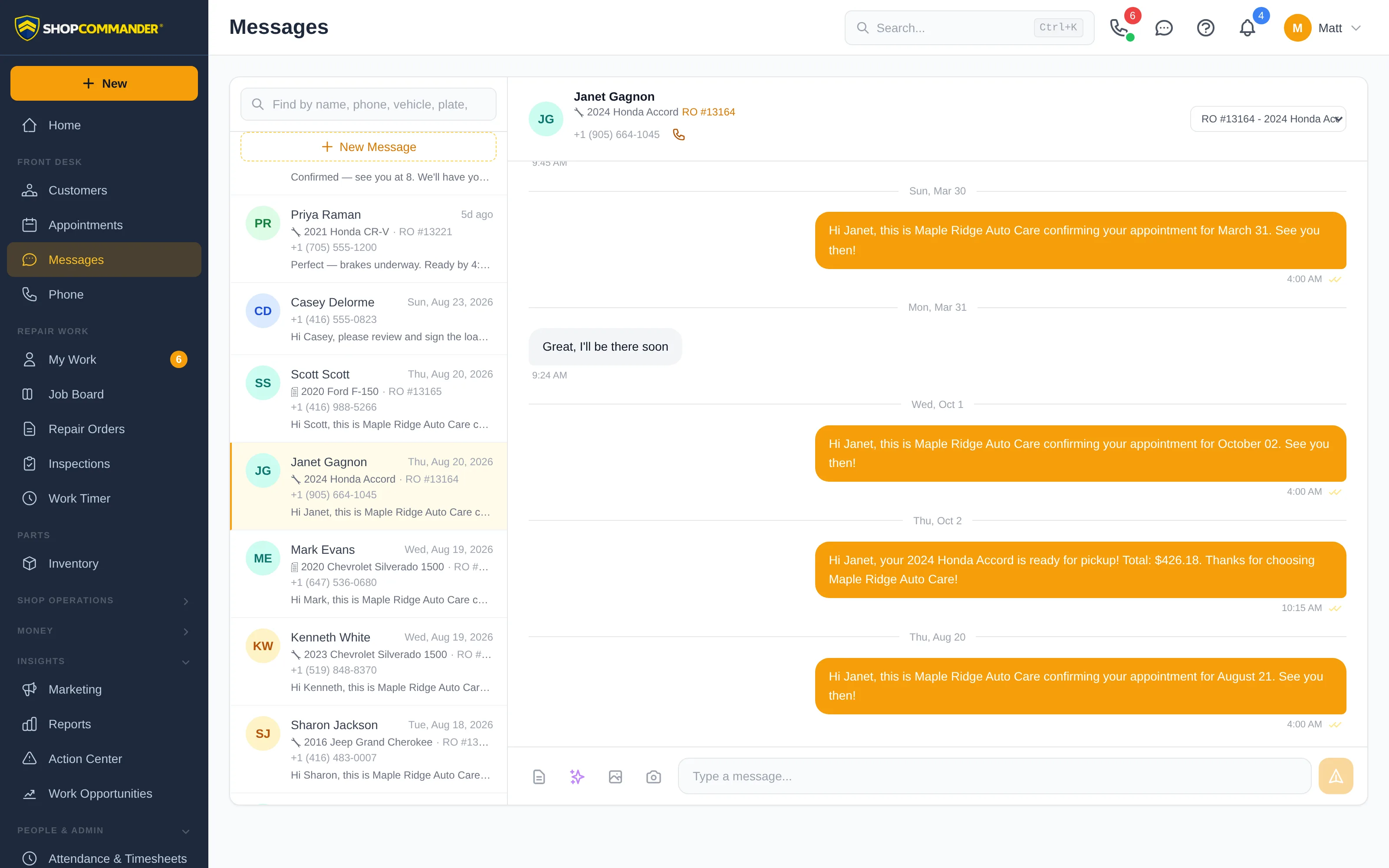
Your customers have had your number for years. Keep it. Port it into Shop Commander and it becomes the line that rings your counter and the number your texts come from — estimate approvals, "your car is ready," appointment reminders, review requests, and the two-way conversations in Messages. One number on the sign, one number in the customer's contacts, one thread for everything.
Check that your number can move, start the request, upload the letter of authorization and a recent bill, and Shop Commander tracks it through the carriers. Your old service keeps working until the day it switches.
Search by country and area code and pick a number in a couple of clicks. US and Canada. Local or toll-free.
Voice, SMS, and picture messages ride the same number, so a customer who calls the shop can text the same number back and reach the same conversation.
Already have a Telnyx account? Connect it and bring your numbers across, and keep your billing where it is.
Any SIP desk phone or softphone gets its own sign-in and rings alongside browser phones and the app. Keep the handset on the counter if that's how your shop works.
If the shop's internet goes down, the phone company sends calls straight to a backup number you choose — a cell, a desk phone, anything. Test it any time without disturbing live calls.
A ringtone and a desktop notification with the caller's name reach you when the Phone page isn't in front of you. Click the notification and you're on the call.
The phone works in the browser your shop already uses and in the mobile app. Set-up is a short wizard: connect, choose a number, test call, set the backup number, done.
Routing knows when you're open from the hours on your Operations settings. Closed days and one-off closures are respected without a second copy of your schedule.
Answering, placing, transferring, recording, listening, and managing routing are separate permissions, with sensible defaults for owners, managers, and advisors.
Hear real calls. Books appointments, gives repair status, reads estimates with prices, and records approvals in the customer's own words.
Two-way SMS, automated status updates, marketing campaigns, and declined job follow-ups.
Every customer, vehicle, visit, call, and text in one record, with follow-ups that recover declined work.
Online booking, drag-and-drop calendar, bay assignment, SMS confirmations, and customer self-service.
Caller context, ring groups, voicemail, transcripts, recordings, an AI receptionist, and texting — on one number, inside the software that runs your shop.
Free setup. No credit card.