Estimates & Authorization
Send the current estimate revision, collect customer decisions, record staff authorization, and understand supersession.
Authorization applies to a specific commercial revision. “The customer approved earlier” is not enough when material price or scope changed.
Review before sending
Open the repair order and confirm customer/vehicle identity, the current service lines, quantities, prices, taxes/fees, customer-facing descriptions, and contact/consent state. Use the current send action only when the configured channel reports Ready.
Send the current revision
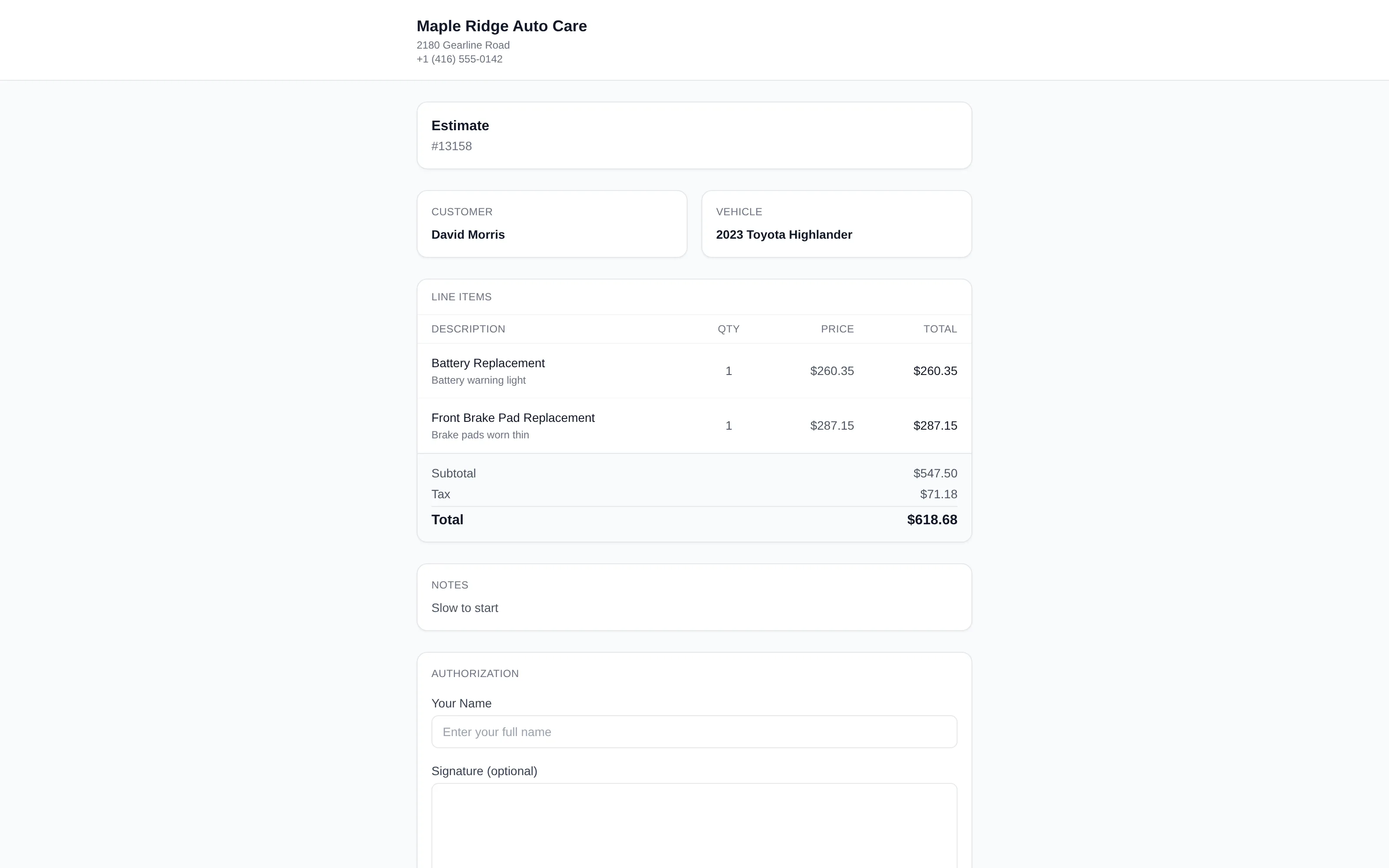
A configured transactional message can carry a secure estimate link. The customer sees the itemized current revision and available line decisions/signature controls without needing a ShopCommander login.
Choose Send by in the sharing dialog to send that link by text message or by email; the Share menu's Email estimate and Email invoice entries open the same dialog with Email already chosen. An email send goes to the address on the customer's profile and nowhere else, so it stays available when text messaging is not set up. Inspection reports and payment links are sent by text only.
Provider acceptance and message delivery are distinct from the estimate itself. If messaging is unavailable, use a supported staff process and record the real decision source.
Record authorization
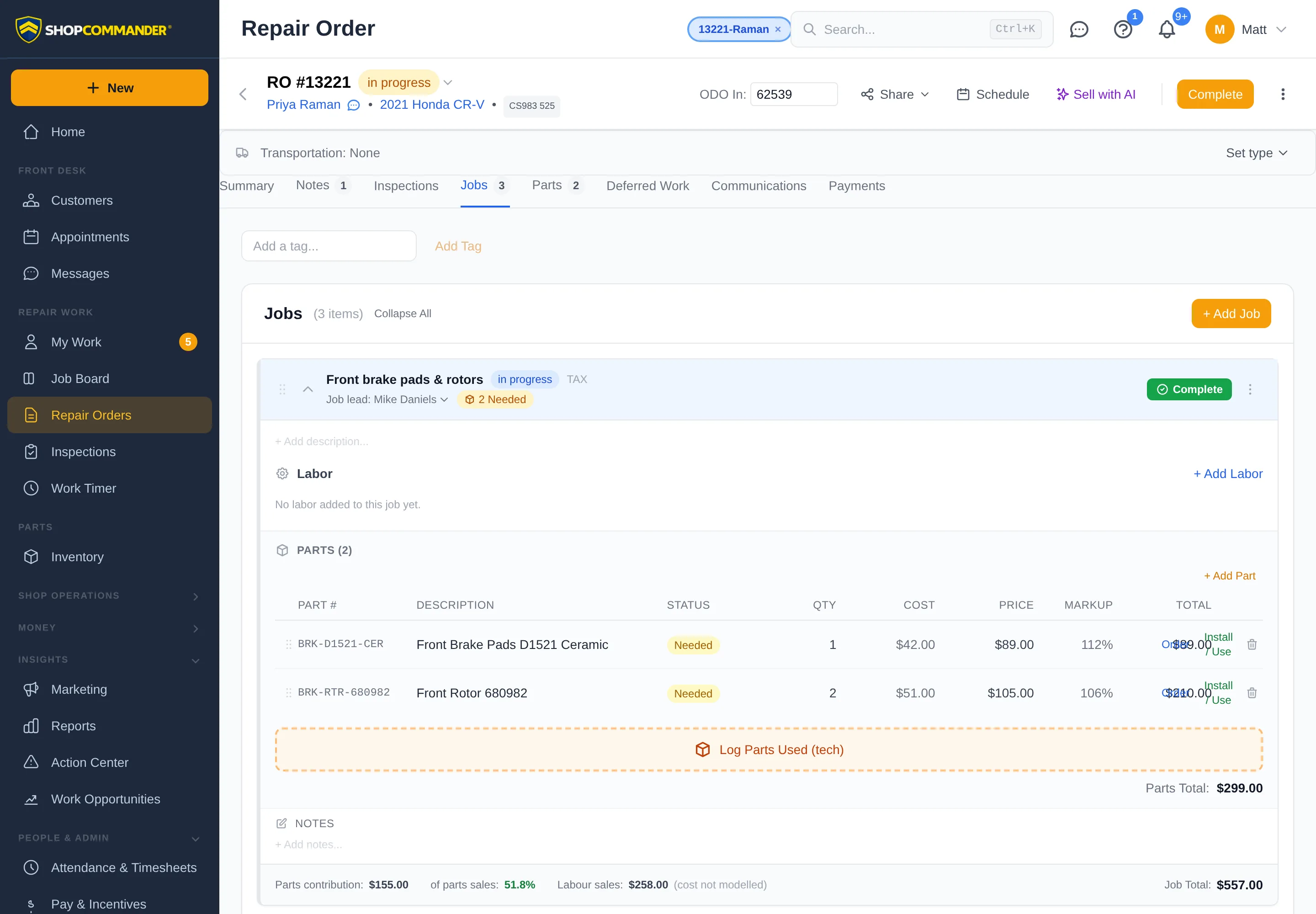
Use the repair order’s Record authorization control when staff receives a real customer decision through a supported channel. Record the applicable lines, decision, person/source, and required evidence. Guidance never records the authorization for you.
Supersession
A material estimate change can supersede earlier authorization. The old evidence remains visible as historical; it is not treated as authority for the new revision. Send or record a fresh decision before governed work proceeds.
Configured Voice workflow
When Voice is enabled, provider-Ready, and approved for the shop’s rollout, the bounded estimate workflow can explain exact items/prices and record explicit approve/decline decisions. It never diagnoses. The server binds decisions to the current revision and captured customer utterance. Keep a staffed handoff and manual fallback.
Next: Payments & Settlement.
On your own domain
When a shop publishes a website or binds a branded service subdomain (Website → Domain), these same pages are served on the shop's domain: /estimate/<token>, /inspection/<token>, /invoice/<token>, /portal/<token> and /book/. Links the shop sends switch to the branded address automatically; older platform links keep working forever.
Start an AI customer call
Staff with outbound calling permission can choose AI Call Customer from the repair order’s Share menu or Sales scripts workspace. Select the pending estimate items to discuss. The dialog checks the shop’s voice configuration before enabling Start AI Call and explains setup problems. Development environments identify when calls use the designated test recipient. A queued call is not a completed conversation or a customer approval.
The public estimate shows the discount deduction in its selected-work total. Original proposal PDF preserves the proposal as shared, including its original total and authorization state. It is labeled as a historical proposal; use Print current response for the response displayed on the current page. These are different records.
Inspection recommendations and priced authorization
An inspection recommendation offers Request estimate, Decline and Defer. Requesting an estimate does not authorize work or charges. Review the separate priced estimate before authorizing repairs. A failed request stays available to retry.
Reviewing recorded signatures
In Summary → Auth History, staff permitted to Authorize work can choose View signature on a canonical signed authorization. The viewer loads only that recorded signature and its signer/time. Ordinary history lists still show presence only; the view requires access to the repair order. Missing historical images remain explicitly unavailable.
Customer consent states how many proposed items are approved and declined. Previously approved work remains part of the displayed approved total, but the authorization button counts newly approved proposed items. The proposal summary is labelled Approved and proposed work (before tax); previously declined work is shown separately.
Supplemental estimates and validity
When additional proposed work needs a response, Send updated estimate remains in the repair-order header alongside the next workflow action. Revised estimate SMS messages introduce the proposed changes, followed by your configured estimate template. The dialog labels its short description Message summary; it is not an exact rendering of a customized SMS.
The estimate's Date uses the shop's calendar date. Valid until adds the configured validity period to that same date, including when the issue instant falls on a different UTC day. Previously shared proposals retain their captured presentation.
An estimate changed after sharing
If an edit changes a shared proposal, Previously shared estimate links are out of date explains that the old links cannot authorize the updated work. Choose Share updated estimate to open the existing sharing dialog. Creating a new link does not prove the customer has received it; make sure they receive that link. Old links retain their original proposal for reference.

Customers who encounter the change during calculation or authorization see an explanation and guidance to request a new estimate link. They cannot retry an outdated proposal into approval. A phone link appears when the shop has a phone number.
Keep a copy of the authorization response
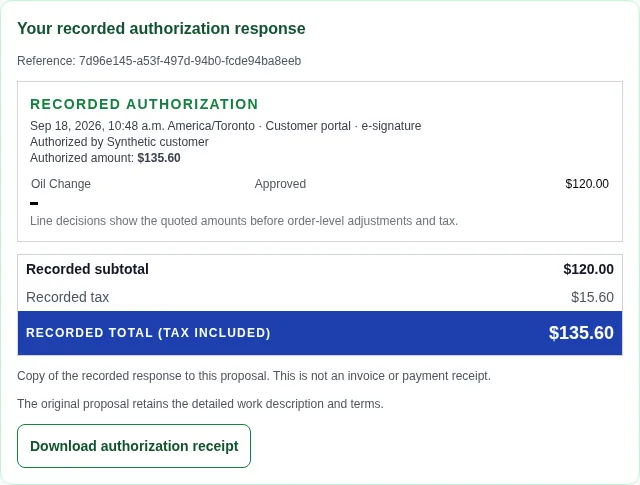
After a response to a shared proposal, Your recorded authorization response shows its reference, signer or staff recorder, shop-zone timestamp, exact saved total including tax, line decisions and recorded signature when available. Download authorization receipt saves that specific response as a PDF. Keep it with Original proposal PDF, which contains the detailed proposed work and terms.
The response receipt stays attached to that proposal even if the shop later changes the estimate. An expired or revoked link cannot download it. A receipt is evidence of the recorded decision; it does not represent an invoice, payment or approval of later changes. Declined responses and missing historical amounts are identified explicitly. Ask the shop for retained evidence if an old record or signature cannot be displayed. No confirmation message is implied by generating or downloading a receipt.