Messages
Use configured two-way customer messaging with current context, templates, consent, opt-outs, delivery state, and history.
Messages is a customer conversation workspace. It requires the transactional messaging capability, effective permission, and a configured provider that reports an operational state.
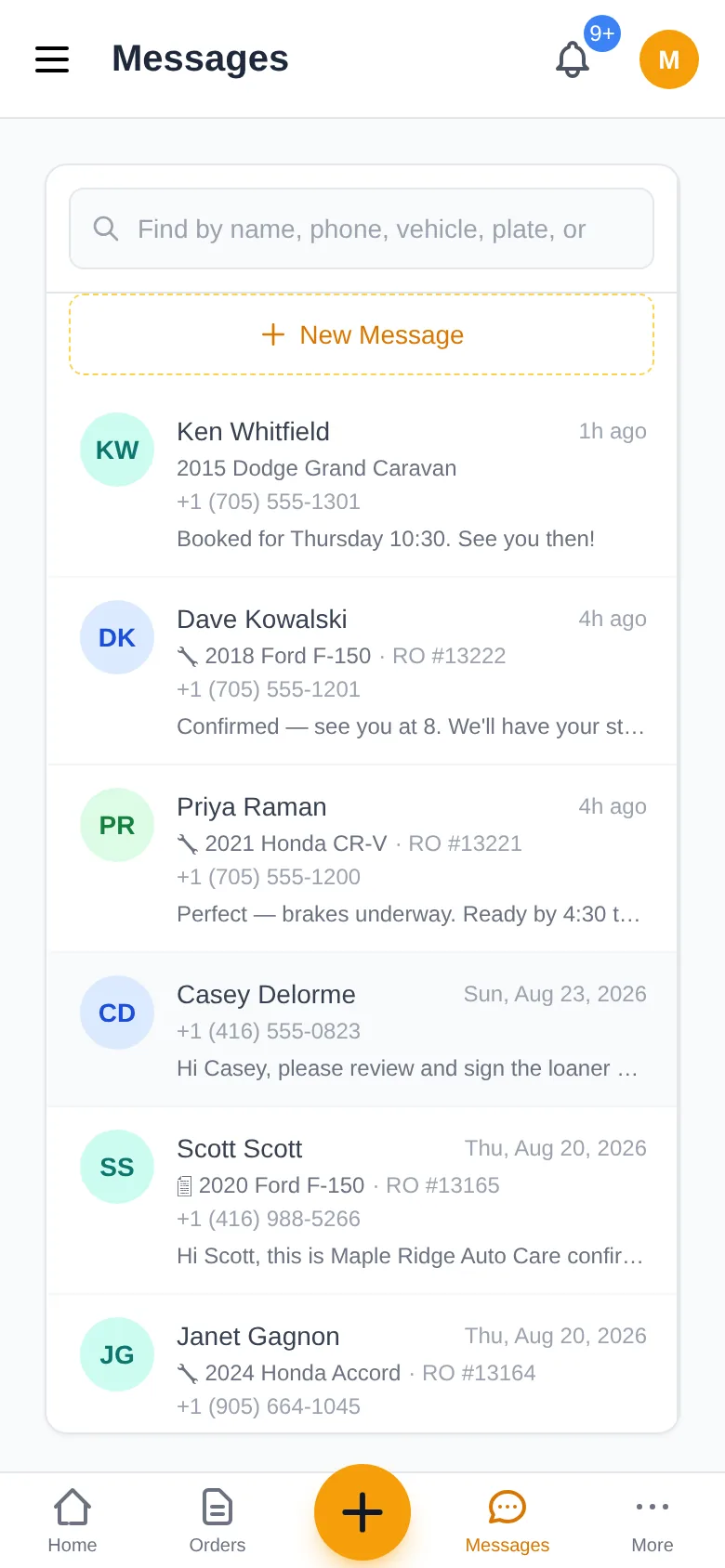
Find the conversation
Use the conversation list/search to find the correct customer/contact. Open customer, vehicle, and repair-order context through the named links. Do not infer identity from a free-text message when the contact remains ambiguous.
Reply or use a template
Compose the real message or insert a configured template. Review resolved variables before sending. Attachments/MMS require the provider and media path to be Ready. A queued/sent/delivered/failed state reflects different transport facts.
Website chat conversations
When the shop's website has Live chat switched on (Website → Live chat), a visitor's chat arrives here as a conversation tagged Chat, named after the visitor or "Website visitor". A green dot means the visitor still has the page open, and a reply goes straight to the chat. Without the dot the visitor has left: if they left a phone number or email and agreed to follow-up, the reply is sent by text (or email when there is no number) and shows as "chat → text/email" under the message; a text from that number continues in the same conversation. If they left nothing, the reply waits in the chat for their return. Web chat replies need no SMS line; a text relay does, and it follows the customer's texting consent like any other message.
Consent and opt-out
Transactional and marketing permission are evaluated separately. A customer reply such as STOP can block texts to that number according to the provider and the customer’s current preferences. Do not bypass an opt-out through another workflow.
Automated and governed messages
Estimate, inspection, appointment, status, pickup, payment, reminder, or follow-up messages appear only when the applicable capability, template, consent, provider, and business workflow allow them. “Enabled” does not guarantee delivery; provider-unavailable and failed states remain visible.
For supported Voice workflows and dependencies, see AI & Voice Communications.
Template fields
Message templates fill the customer, phone, linked vehicle and shop name. Missing vehicle or shop details use “your vehicle” or “our shop”. Review the draft before sending. Remaining template placeholders must be filled in before the message can be submitted. Plate search uses the server’s matching vehicles, including identifiers not shown in the conversation preview.
AI drafting availability
Draft with AI is unavailable until AI Customer Content is enabled and ready. Its tooltip points to Features & Modules and provider setup. If readiness changes during a request, the server explanation stays beside the composer and your existing text is retained. Generating a draft does not send a message.