Feedback
Shape Shop Commander — post ideas and bug reports, vote with shops across the platform, and follow what ships.
Feedback is the shared product board for ideas, bug reports, votes, comments, and current What's New entries. Use it for product discussion that can be visible across shops; use Support for private shop, billing, account, or data questions.
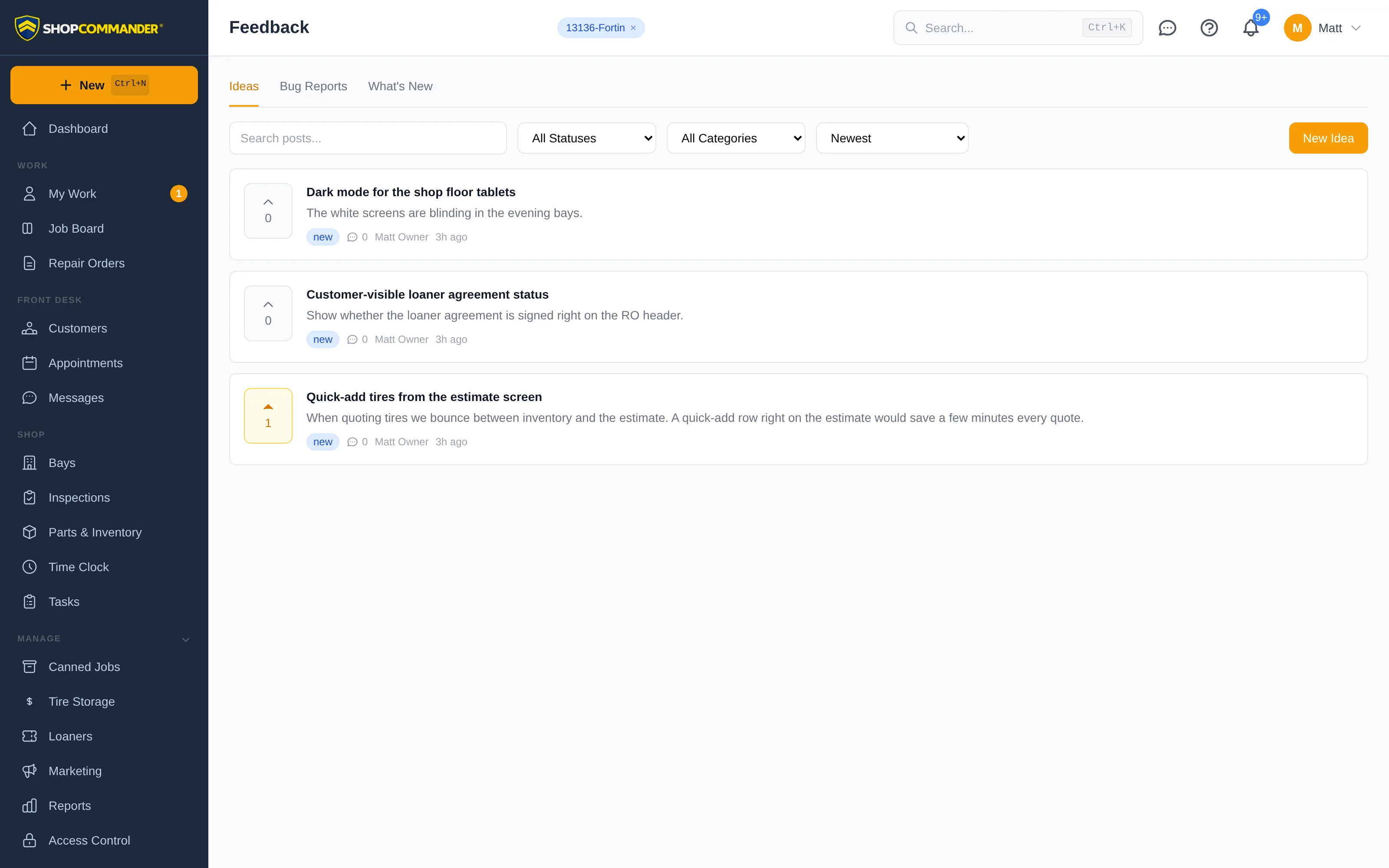
Three feeds
- Ideas — features and improvements you'd like to see in Shop Commander. Every shop sees them; every vote counts.
- Bug Reports — something not working right, with an urgency level from Low to Critical. If another shop already reported it, vote it up instead of filing a duplicate — votes tell us what hurts most.
- What's New — release notes from the Shop Commander team: what shipped, when, and which ideas it came from.
Filter any feed by status or category, search it, and sort by Newest, Most Voted, Most Commented, or Recently Updated.
Posting
Click New Idea (or Report Bug) and write it up. Attaching evidence is the easy part — paste a screenshot straight from the clipboard with Ctrl+V, drag images anywhere onto the form, browse for files, or shoot a photo with the tablet camera.
Prefer to keep your name off it? Check Post anonymously. Other shops only ever see your first name and last initial anyway — never your shop's name or details.
Statuses you can trust
The current status pipeline distinguishes intake, review, planned/building work, and shipped/fixed outcomes. A visible status is the authority for that post; submitting or voting does not promise a delivery date.
Something private?
Feedback is a shared board. For anything about your shop — billing, account questions, a problem with your data — use Support instead: a private conversation with the Shop Commander team.