Vehicles
Full vehicle records with VIN decoding, odometer tracking, photos, and complete service history.
Every vehicle gets its own record: specs, VIN, plate, odometer history, photos, and every job you've ever done on it. When a car rolls in, you're not starting from zero — you're picking up where you left off.
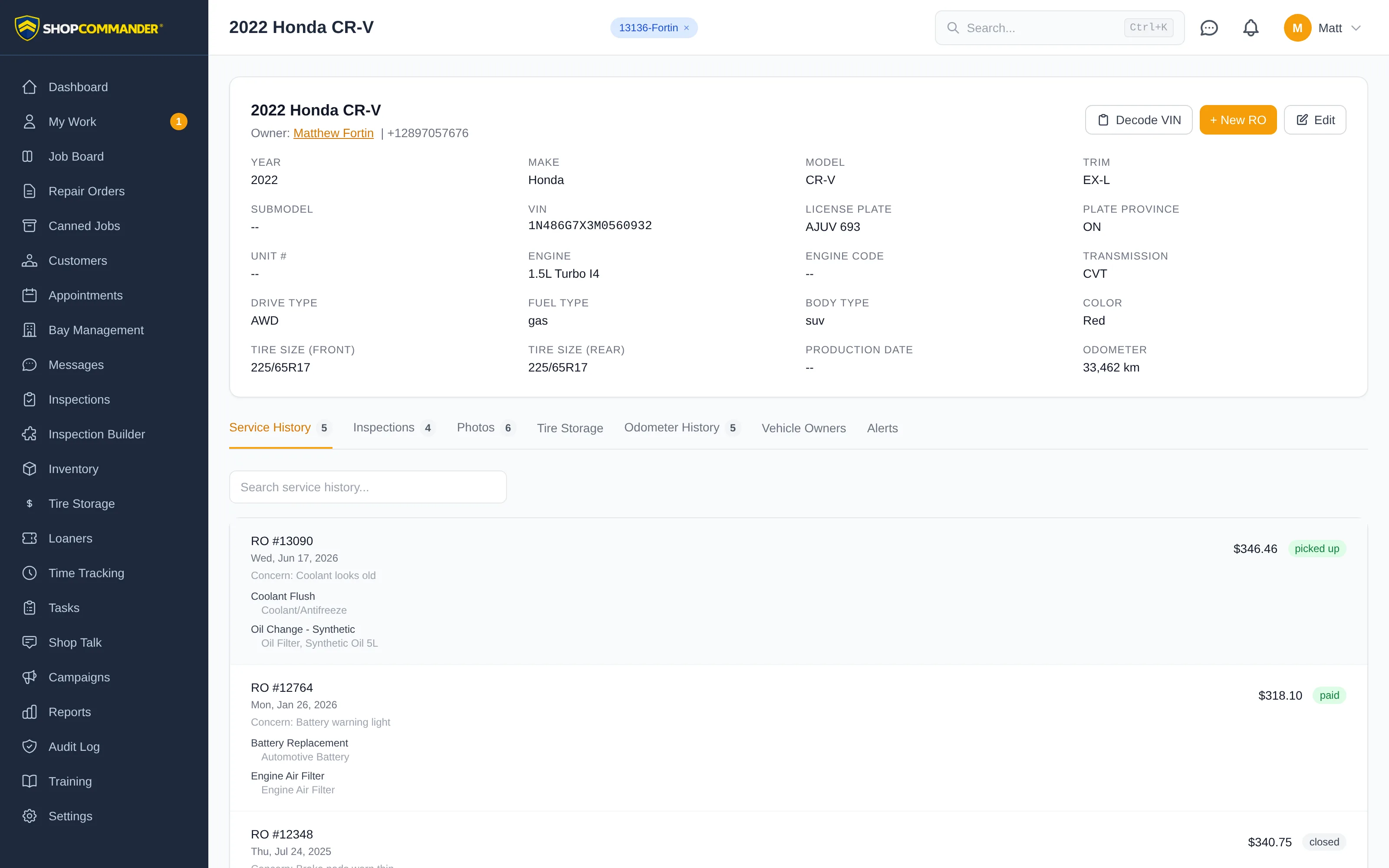
Specs without the typing
The record holds year, make, model, trim, VIN, license plate, engine, transmission, drive type, fuel type, body type, color, and front/rear tire sizes. You don't have to fill most of that in by hand — enter the VIN and hit Decode VIN, and Shop Commander pulls the factory data to populate the vehicle for you. On the mobile app you don't even type the VIN: scan the door-jamb barcode or the printed VIN with the camera, and a plate scan looks the vehicle up directly. Trucks and fleet vehicles get extra fields: unit number, bed type, and bed length.
Start work directly from the record with the + New RO button — the vehicle and its owner are already on the ticket.
The tabs
- Service History — every repair order on this vehicle, searchable. "Did we do the brakes on this one?" takes five seconds to answer, even years later.
- Inspections — every inspection report ever run on the vehicle.
- Photos — a gallery you can add to from a phone camera, plus all the photos taken on repair orders and inspections.
- Tire Storage — stored sets with tread depths per corner.
- Odometer History — see below.
- Vehicle Owners — who has owned this vehicle over time.
- Alerts — owner alerts that apply when working on this vehicle.
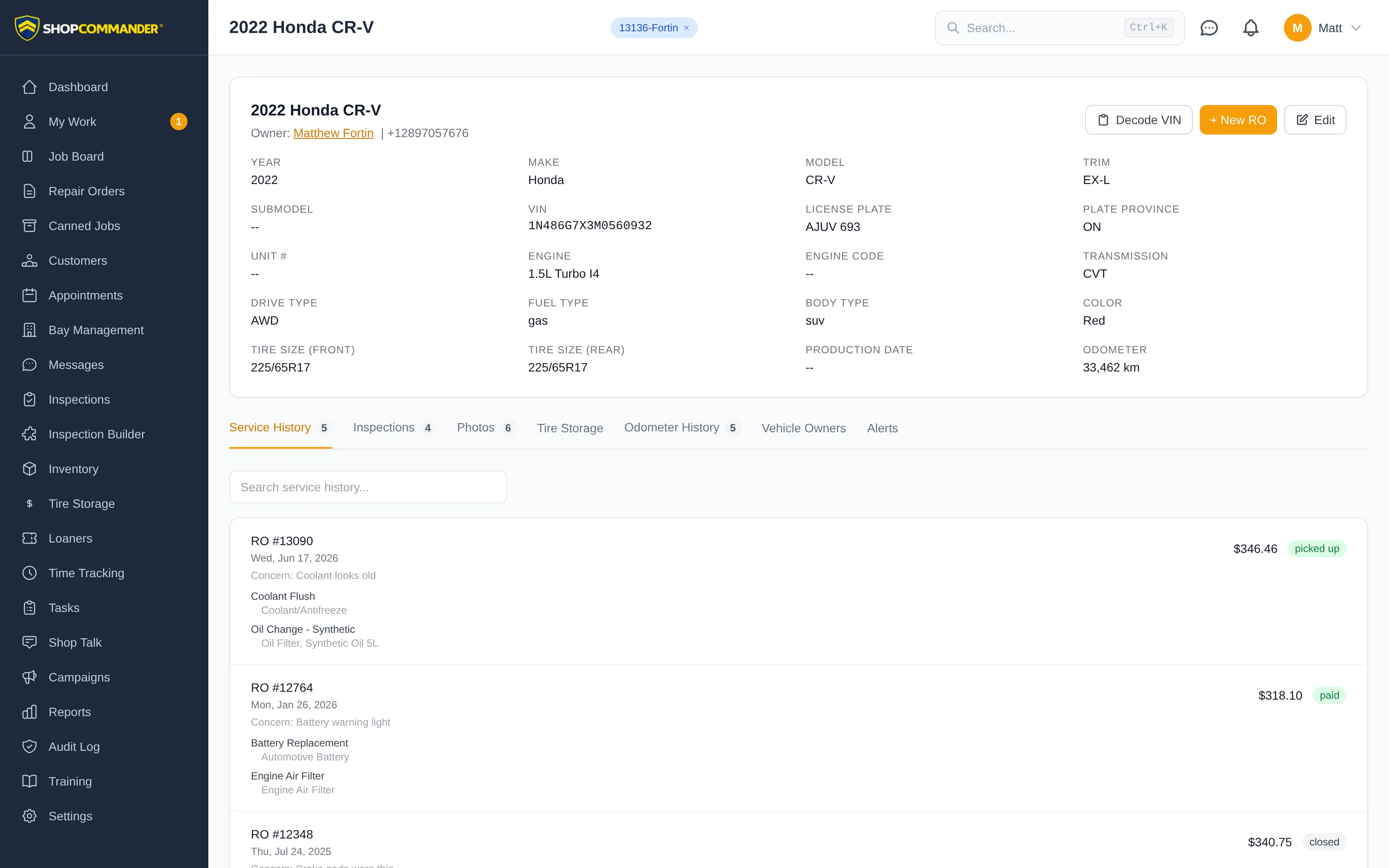
Odometer tracking
The vehicle summary shows the Latest accepted odometer reading, its recorded date and source. The main value follows your shop’s distance unit; the original recorded value and unit stay visible underneath. A flagged lower check-in does not replace an accepted reading, while an explicitly confirmed correction can lower it.
If the stored vehicle value disagrees with the dated history, the summary says so and offers Review odometer history. Review and confirm any correction before relying on mileage for service or warranty decisions. Older records are not silently rewritten. If history cannot be loaded, Retry odometer history restores the comparison; missing history does not mean the vehicle has no readings.

Every time the current repair-order, inspection, or correction workflow records an odometer reading, ShopCommander retains its source and history. On the mobile app, Scan Odometer can assist capture—with confirmation and an optional photo attached to the work order. Use current service history and configured shop follow-up rules when advising the customer; ShopCommander does not treat an inferred next-service date as authoritative maintenance data.
When a vehicle changes hands
Cars outlive their owners' garages. When a customer sells a vehicle to another of your customers, transfer it from the seller's profile in Customers — the vehicle keeps its full history, and the ownership timeline shows under Vehicle Owners. The new owner inherits a documented car; you keep an unbroken record.
Why the record matters
The service history on a vehicle is your credibility in writing. When a customer asks "didn't you just replace that?", the answer is on screen — with dates, odometer readings, and photos. See Repair Orders for what each entry contains.
VIN decode refusals
If Decode refuses a VIN, read the specific format or validation reason. The entered vehicle details remain available to correct; a failed decode does not save a new vehicle. Add Vehicle keeps the explanation in its open form.