The Mobile App
Shop Commander on iPhone and Android — live updates, push notifications, and camera scanning for VINs, plates, and odometers.
ShopCommander runs in a browser, and the current mobile apps use the same account and shop records while adding supported device features such as push notifications and camera scanning.
Get it from the App Store or Google Play. Sign in with the same identity used on the web. Saved server records are shared across authorized devices; live updates still depend on connectivity and a healthy session.
Scan Vehicle — VINs and plates by camera
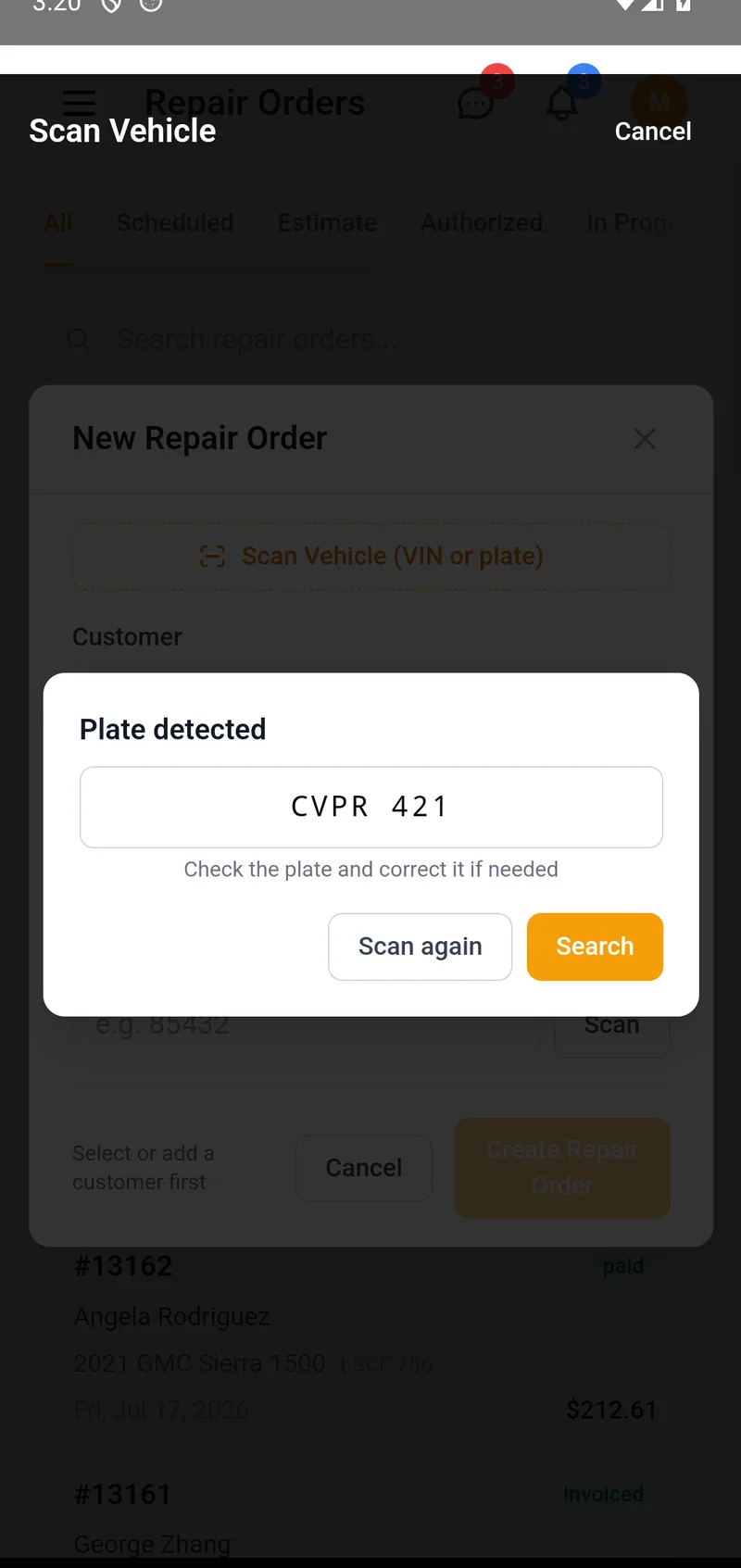
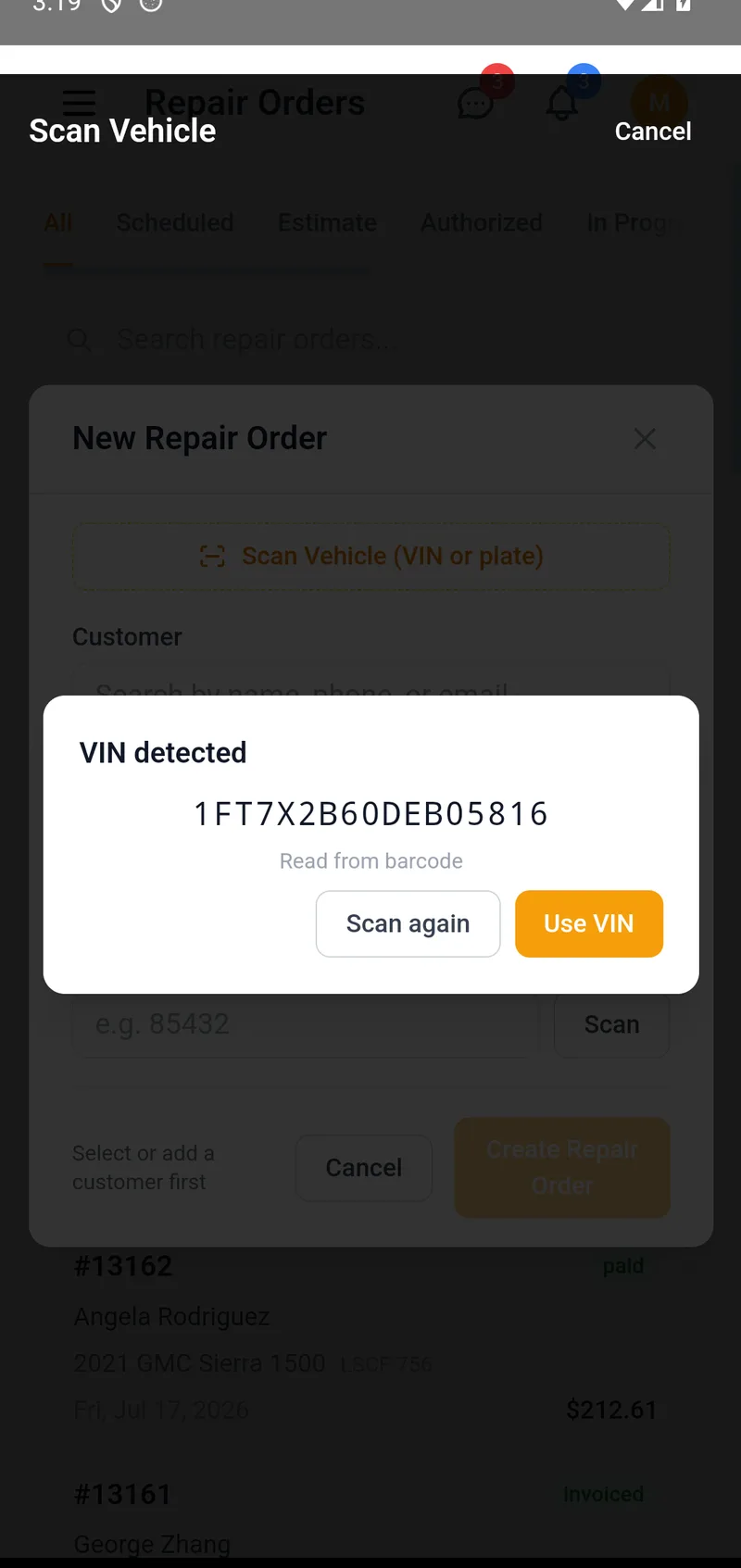
Writing up a car that just rolled in? Tap Scan Vehicle (VIN or plate) at the top of the New RO form, or the Scan button in search. One camera view reads all three:
- VIN barcodes — the door-jamb sticker most cars carry.
- Printed VINs — the windshield plate or door label, read as text.
- Licence plates — point at the plate to look the vehicle up.
Nothing is ever entered for you blindly. When the camera locks onto something, you get a confirmation card first — Use VIN, Search, or Scan again. If a printed VIN was hard to read, Shop Commander checks the VIN's built-in check digit and shows you its best "did you mean" corrections to pick from; you can also edit a detected plate before searching. In low light, tap Torch for the flashlight.
What happens with the result:
- The vehicle is already in your shop — it's matched instantly, and the customer comes with it. No duplicates: scanning a VIN you already have selects the existing vehicle instead of creating a second record.
- It's a new vehicle — the VIN lands in the form and decodes automatically, filling year, make, and model just like Decode VIN on the web.
- A plate matches nothing — you'll see the closest customers so you can pick, or add the vehicle with the plate already filled in.
Scan Odometer
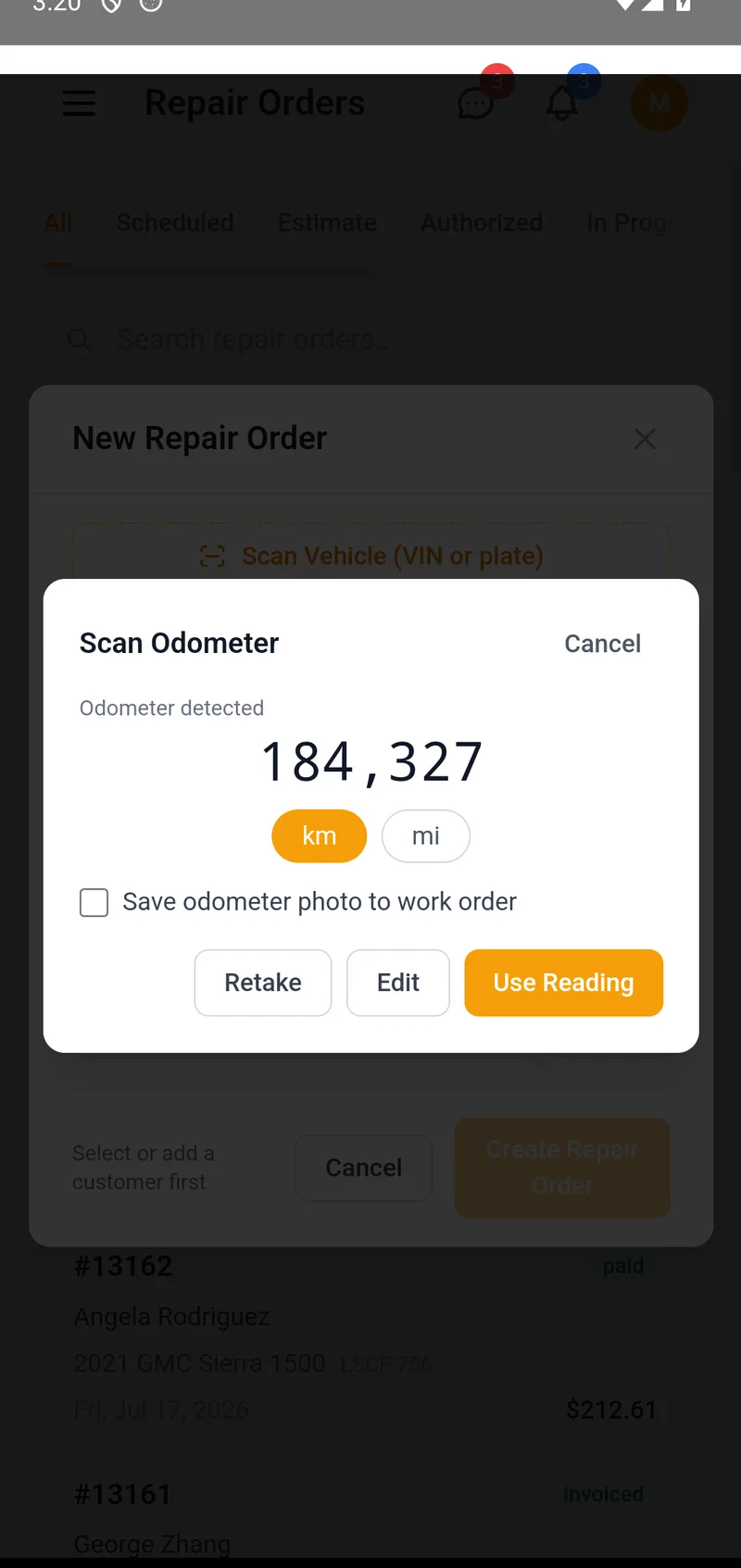
On the New RO form, tap Scan beside the odometer field and photograph the instrument cluster. Shop Commander reads the display, ignores the distractions — the clock, the trip meter, range-to-empty, the speedometer — and shows you the reading it found, with Use Reading, Edit, and Retake.
- The km/mi chip shows the unit it detected; if the cluster doesn't say, you pick.
- If the reading looks lower than the vehicle's recorded history, you'll see a warning so a misread never slips through.
- Tick Save odometer photo to work order and the confirmed photo attaches to the RO — timestamped proof of the mileage at check-in.
Camera and privacy
The app asks for camera access the first time you scan. All recognition happens on your phone — camera frames are never uploaded or stored. The only image that ever leaves the device is the odometer photo, and only when you tick the save box yourself.
Push notifications
When device permission, registration, and the notification service are ready, the app can notify you about supported events such as a customer decision or message. Choose the available categories in profile settings and use the source record as the authority.
Phones and tablets
The app is built for phones; on tablets and the front-desk PC the browser gives you the full-width experience. It's one account everywhere — start a repair order at the car with a scan, finish it at the counter.