Loaner Vehicles
Run your courtesy fleet — check-outs with photos and digital signed agreements, returns with damage checks.
The Loaners workspace tracks the shop's courtesy fleet, reservations, agreements, condition evidence, check-out, return, cleaning, maintenance, retirement, and history.
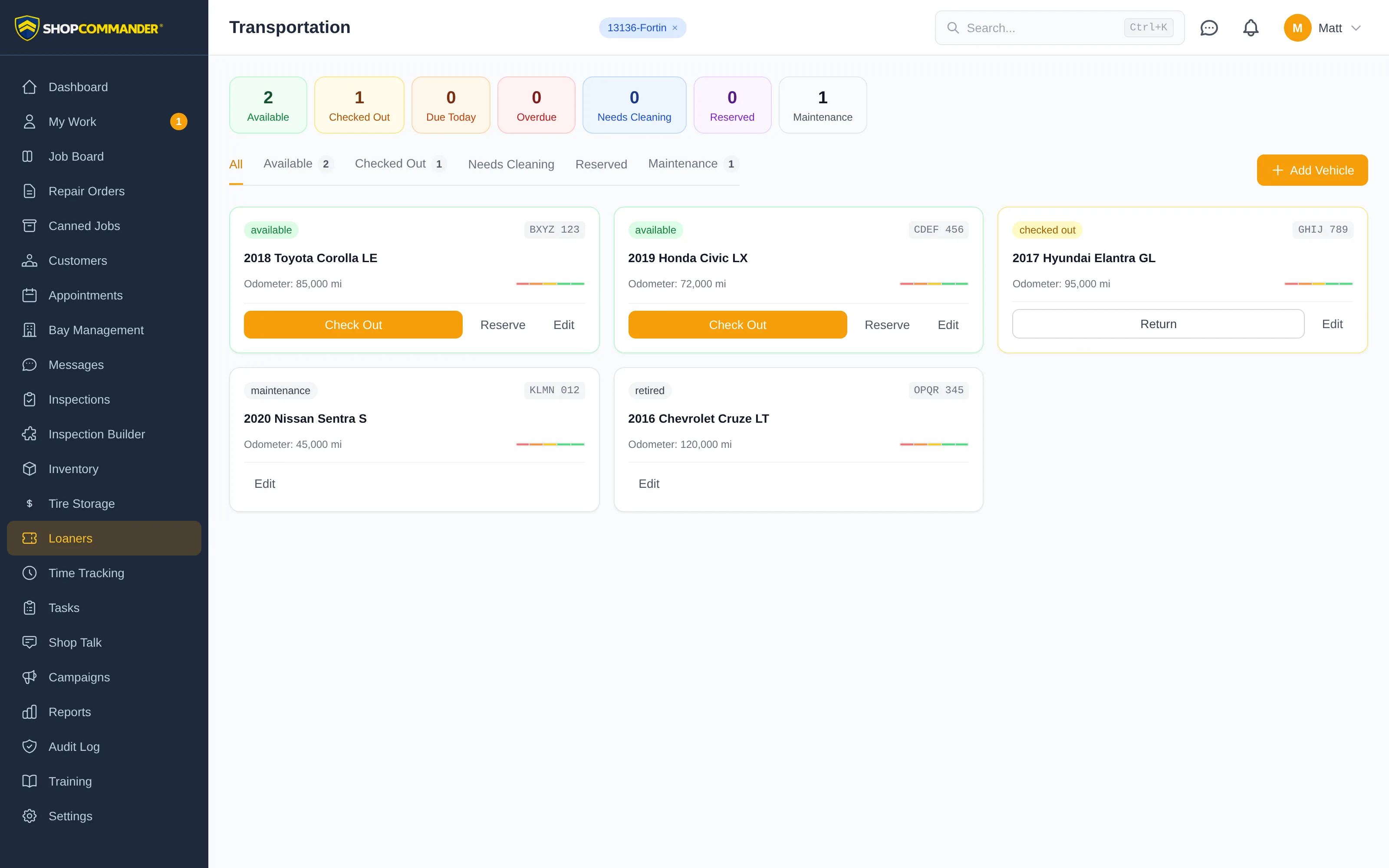
The fleet at a glance
The stats bar across the top shows available, checked out, due today, overdue, and in maintenance — click any stat to filter the fleet. Below it, status tabs (Available, Checked Out, Needs Cleaning, Reserved, Maintenance) slice the vehicle cards, and a red alert banner calls out any overdue loaners by name. An Active Agreements table lists who has what, which RO it's tied to, and whether it's on time or overdue.
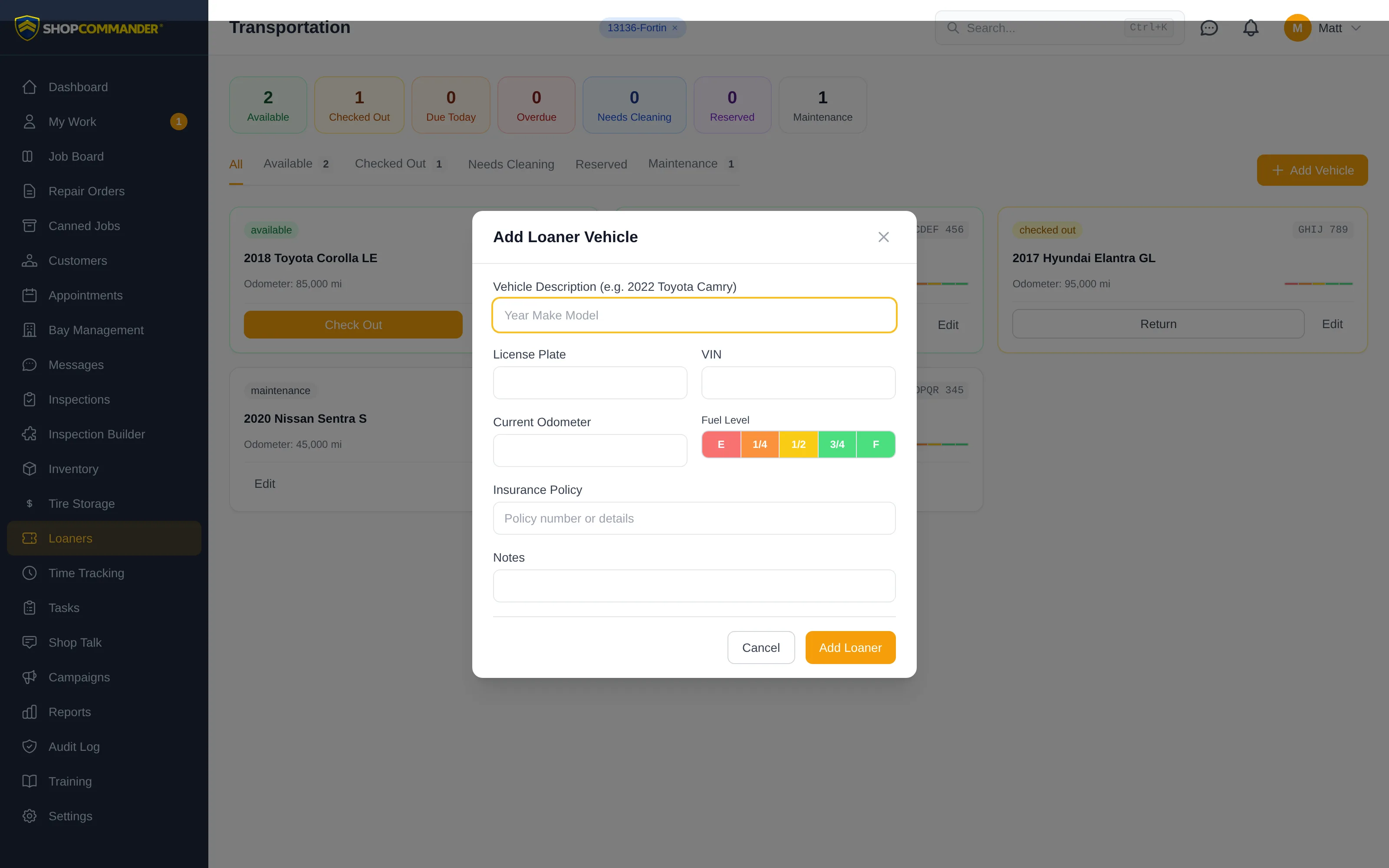
Click Add Vehicle to put a car in the fleet: description, plate, VIN, current odometer, fuel level on a five-step gauge, and insurance policy.
Checking a car out
Assigning a loaner captures everything you'll wish you had later:
- Customer and repair order — link the agreement to the job that triggered it.
- Odometer and fuel out — recorded against the return.
- Condition photos — front, back, driver side, passenger side, straight from a tablet camera.
- Billing mode — Free Courtesy, Flat Fee, Daily Rental, or Insurance, with a rate where it applies.
- Expected return date — so overdue cars flag themselves.
For the agreement itself, the customer can sign on your tablet right at the counter — or you can send them a secure link by text. The link opens a customer-facing digital agreement page where they review the terms and sign on their own phone. The signed agreement, timestamp, and signature image are stored on the record, and your screen updates the moment they sign.
Checking a car back in
The return flow records final odometer and fuel level, return photos, and a new-damage flag. Come back short on fuel and the gauge comparison makes it obvious. After return, the car moves to Needs Cleaning — mark it ready when it's back on the line, and it's available again.
You can also reserve a vehicle ahead of an appointment, or drop one into Maintenance when it needs its own service.
Next: Employees and Access Control — individual identities and effective authority.
Future reservations
Reserved includes vehicles with active future promises and shows their dates. A vehicle can be physically available now and also carry a future reservation. Its card shows both facts; checkout still validates the requested custody window. Cancelling a promise removes that promise without changing unrelated reservations.
The public agreement presents the return deadline in the shop's timezone and names that zone. A customer's browser timezone does not change the shop deadline.
Dashboard units and agreement copies
Set Dashboard unit to kilometres or miles from the vehicle itself. When correcting a unit, enter the current dashboard reading at the same time; the app does not convert existing numbers. Return an active loaner before correcting its unit. Each checkout freezes the unit for that agreement, and historical agreements with no captured unit remain labelled unit not recorded.
The customer's signed agreement link shows the recorded signature and, after return, the recorded return date, odometer and fuel. Customers can use Print or save PDF to keep their copy.
Review or copy an agreement link
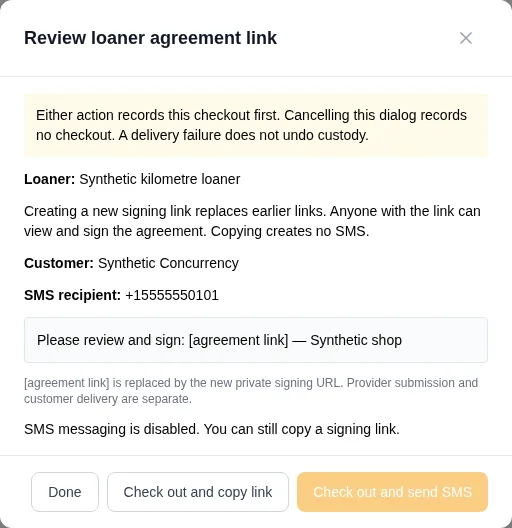
Choose Review Agreement Link during checkout or Share Agreement Link on the repair order. The dialog loads the customer, resolved phone destination and configured message before sending. [agreement link] represents the private URL that will replace earlier signing links. If the contact or message changes before confirmation, reload and review the new details.
Create and copy link sends no SMS and works when messaging is disabled. Clipboard refusal keeps the private link visible for manual copying; retrying Copy reuses that issued link. Anyone holding the link can view and sign the agreement, so share it only with the intended recipient.
During checkout, the buttons explicitly say Check out and copy link or Check out and send SMS. Either action records custody first. Closing the review before choosing an action records neither checkout nor SMS. Once checkout is recorded, its fields stay read-only and delivery retries retain the existing agreement. A failed SMS does not undo checkout.
A submitted result means the provider accepted the message, not that the customer received it. An unknown outcome blocks another send in the dialog and asks you to check history; the existing signing link remains copyable.
Vehicle records, photos, and reported issues
Click a vehicle in the fleet to open its record. Usage lists current and completed agreements; open an agreement to compare checkout and return condition. Photos groups saved checkout and return images by agreement. Click a thumbnail to enlarge it.
Notes & issues includes checkout/return notes and reported damage. Staff with loaner resolution permission can append a dated note, issue report, or service record, with an optional work reference. Earlier entries are retained. Reporting an issue records it; use Out of service when the vehicle must be removed from circulation.
Timeline shows custody and fleet events. Service records shows maintenance, restoration, and recorded service work. These are loaner service entries and references, rather than an automatically linked repair-order service history.
Overdue vehicle names open the agreement directly. A successful return saves its date, readings, condition notes, photos, and damage report, and opens the saved agreement for review. Returns with new damage move the vehicle to Maintenance; other returns move it to Needs Cleaning.