My Work
Technician and Apprentice assigned work, Ready Next, waiting reasons, supervisor review, and completed context.
My Work is the normal starting workspace for Technicians and Apprentices. It shows personal actionable work without exposing shop-wide management, customer, or financial information that the person does not need.
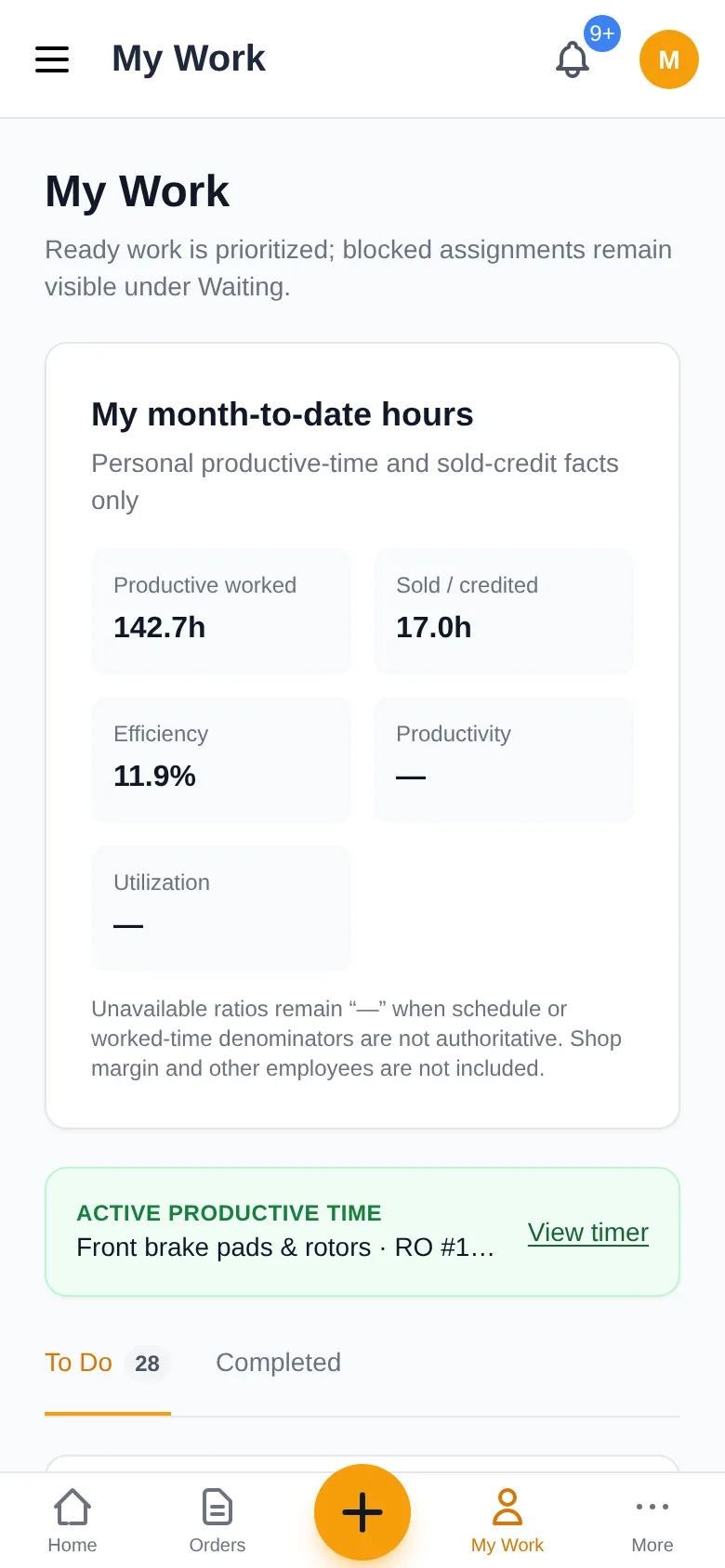
Understand the count
The My Work navigation badge and To Do tab count the items displayed on the board, including active and paused jobs, waiting or blocked tasks, and reviews your role can act on. Disabled inspection/task sections are excluded. Each section displays up to 50 items, or 100 supervisor reviews. When a section reaches that limit, a notice explains that the visible count is not the full backlog; review the relevant Repair Orders, Inspections or Tasks workspace for additional assignments.
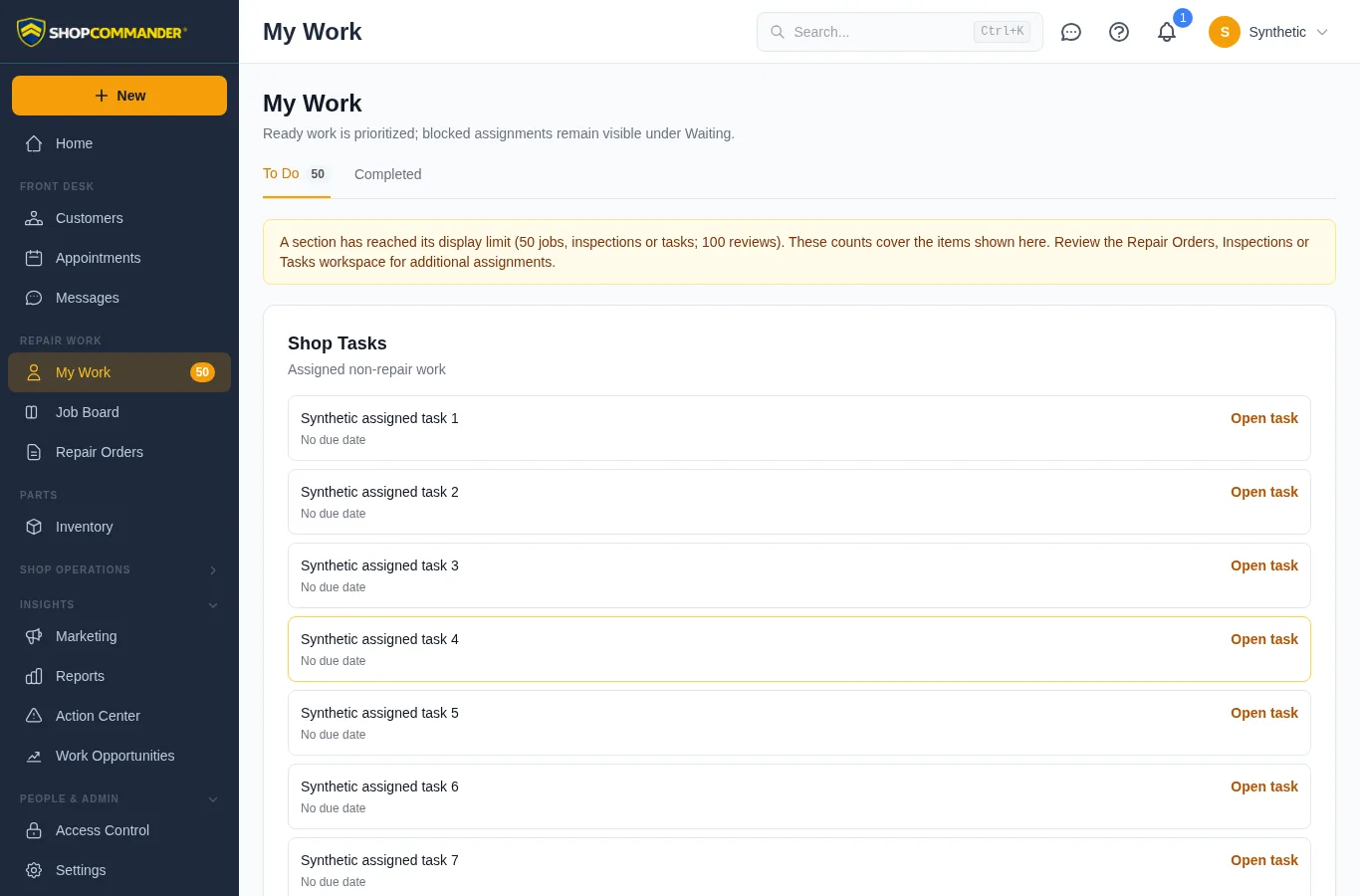
Read the work state
- In progress is the current active job or task context.
- Ready Next is assigned work whose current prerequisites allow action.
- Waiting always includes a reason such as authorization, parts, required inspection evidence, or supervisor review. It is not a synonym for unassigned.
- Completed is personal recent history, separate from current work.
Open the real item for instructions, DVI, assignment, Work Timer, evidence, and materials. My Work does not create a second copy of the repair-order workflow.
Correct an accidental completion
Open the job from Completed, then choose Reopen job for correction in Assigned Work. Confirm the named job. This returns it to In progress; start a timer separately when work resumes. The action requires permission to edit that assigned job. Apprentices should ask their supervisor to reopen it.
Invoiced or closed repair orders remain locked. Ask an advisor to arrange corrective work for those visits.
Technician materials handoff
When enabled and permitted, a Technician can record a quick actual-use description and quantity for a small material or part. This is a scratchpad handoff—not a billed line, stock movement, SKU selection, or cost decision. The Service Advisor later chooses billed part, inventory-linked, shop supply, no charge, or record-only disposition.
Apprentice review
An Apprentice finishes the assigned work and supporting evidence, then chooses Ready for review. A Supervisor or Manager approves it or returns it with notes. Returned work stays assigned and visible. This handoff does not grant the Apprentice independent signoff authority.
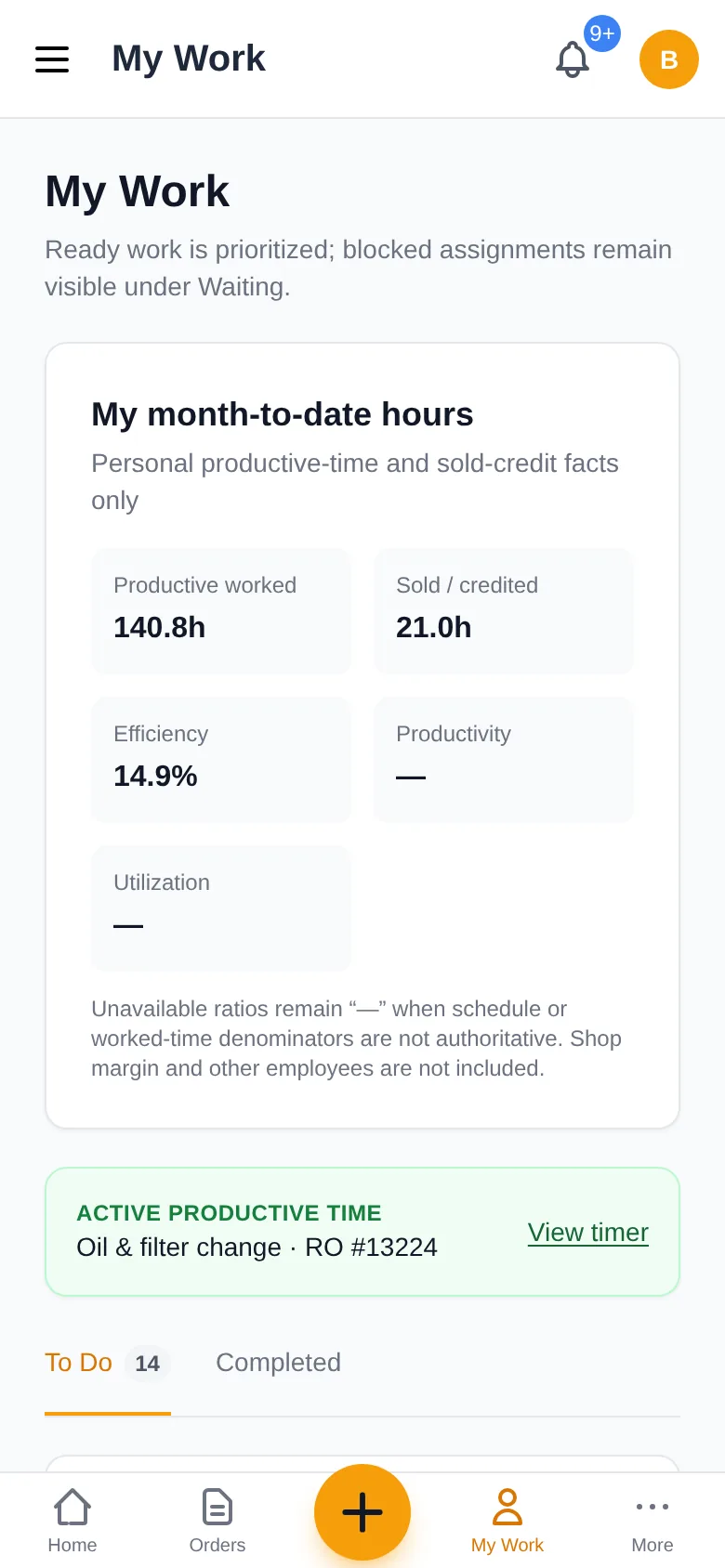
Work Timer is a separate fact
Starting or switching productive context records Productive Time against real work. It does not create Attendance, Sold/Credited Time, or pay. See Work Timer.
Record materials used
On Assigned Work, an editable assigned job offers Log parts used when technician materials are enabled and your access permits editing that job. Search inventory or use Quick Add to record the actual material. The advisor reviews its disposition separately; logging it does not authorize a customer charge.
Required parts before starting
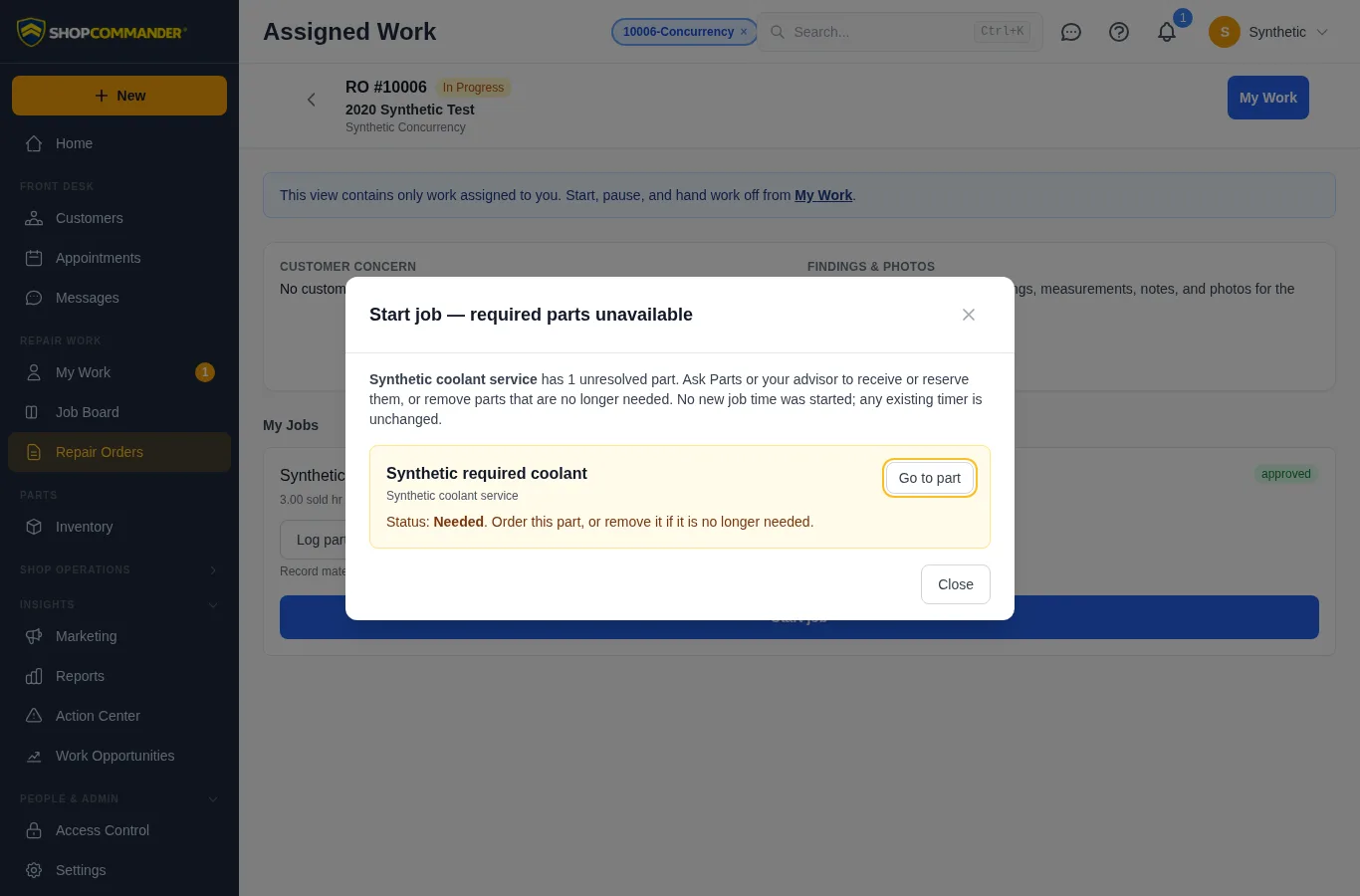
A job with parts still needed, short or on order offers Review part blocker. Ask Parts or your advisor to receive or reserve the material, or remove a part that is no longer required. Reserved stock and received parts allow work to start; completing the job still requires recording installation or return.
If availability changes after the screen loads, starting the job or its productive timer is refused with the part identified. The refusal leaves the job unchanged and preserves any existing timer, including when switching from another job. Use Go to part to review the material.
Work awaiting assignment
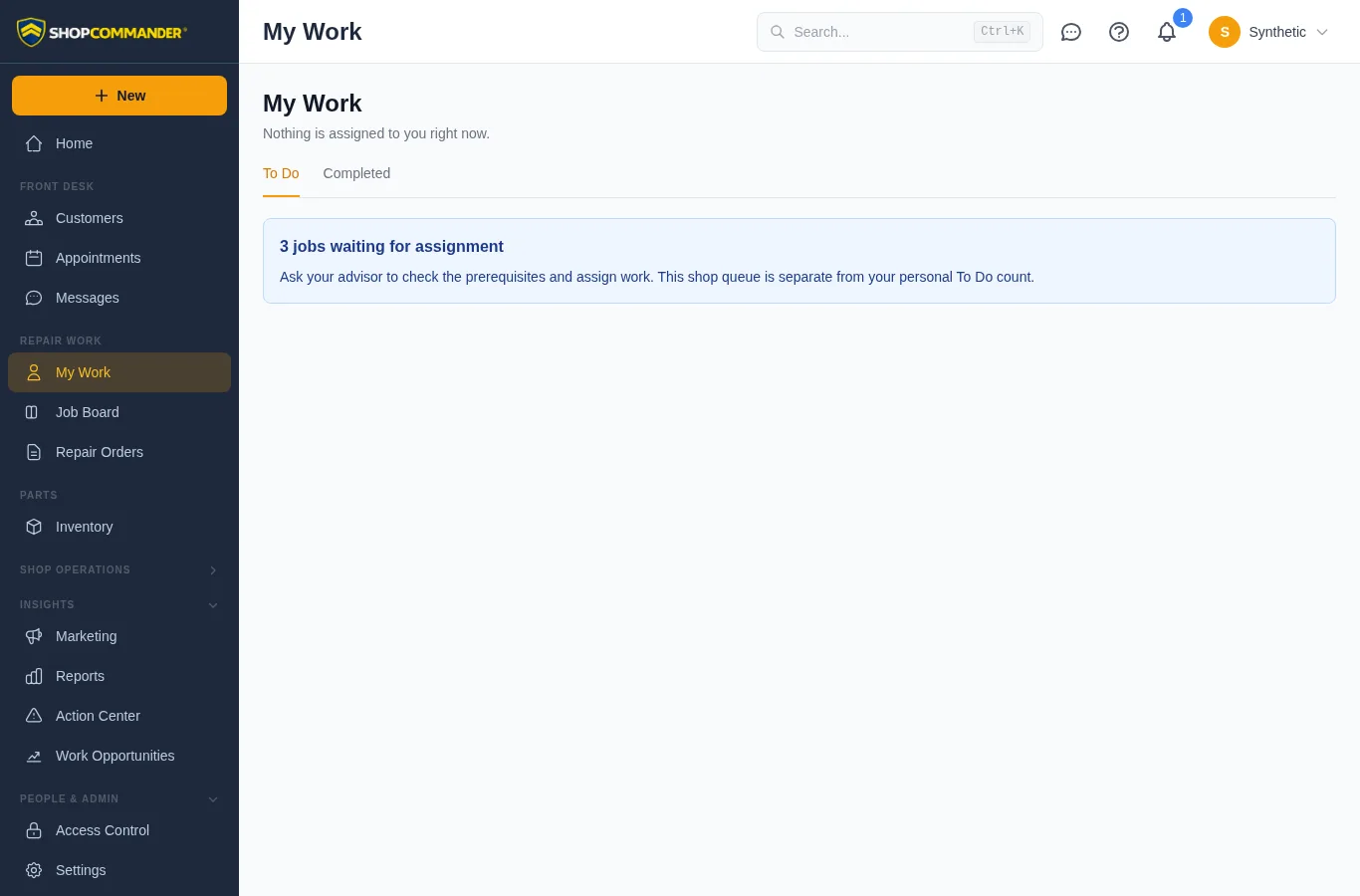
If the shop has approved-stage service jobs with no technician or labor assignment, My Work shows a Work awaiting assignment count. It is separate from your personal To Do badge and does not expose customer or job details. Ask your advisor to confirm current authorization, materials and other prerequisites, then assign work. Seeing this count does not let you claim or start an unassigned job.
The count updates when assignments change or you return to the tab. If the work read fails, its old count is hidden until Retry succeeds. Completed-history reads have their own error and Retry completed history action; a failed read is not an empty history.
Hand unfinished work to another technician
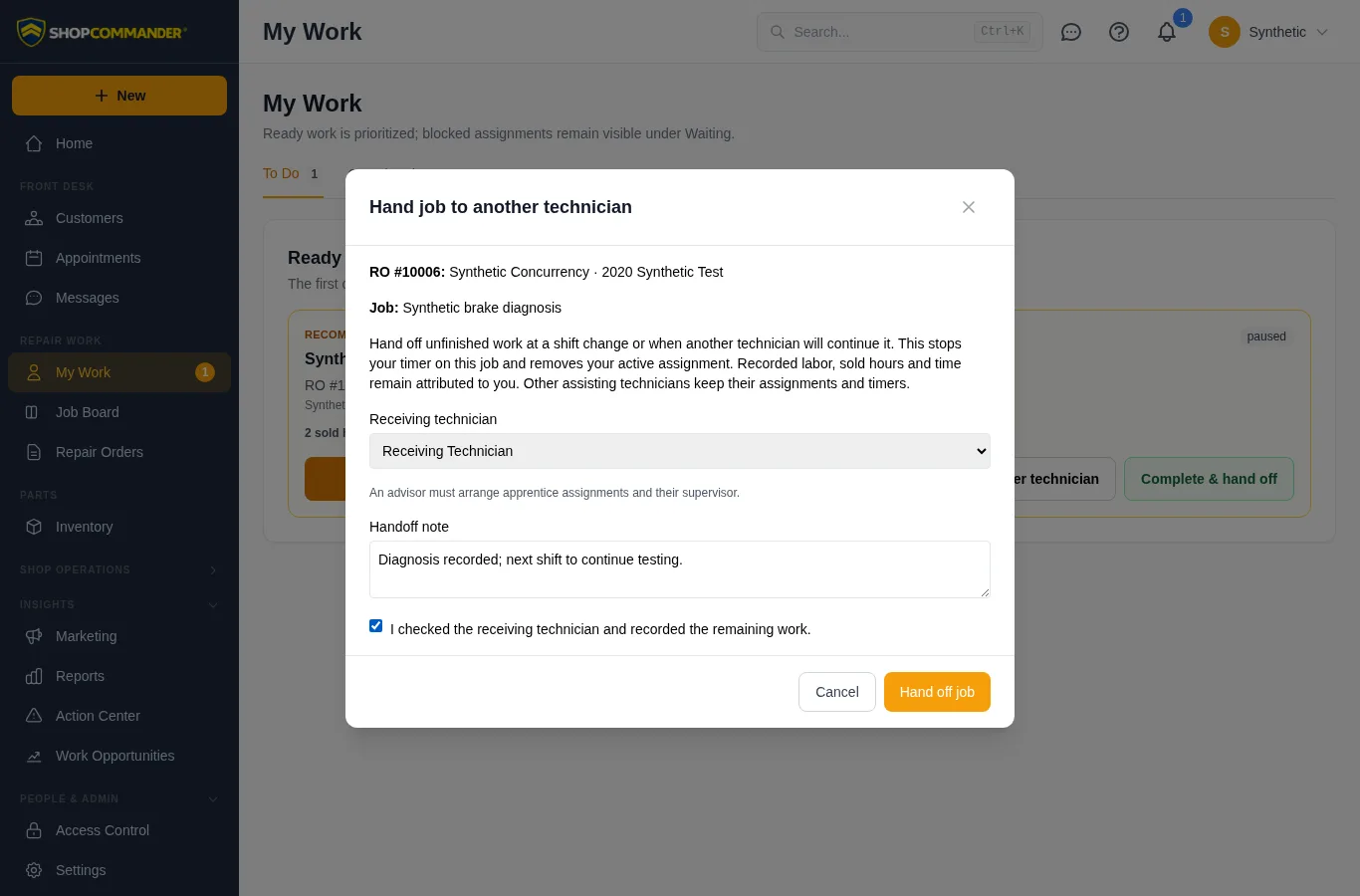
On a job where you are the primary technician, choose Hand to another technician in My Work or the repair order’s Assigned Work view. Choose an active recipient, record progress and remaining work, confirm the recipient, then choose Hand off job. An advisor must arrange apprentice assignments and their supervisor.
A successful handoff stops your timer on that job and transfers active responsibility. It does not mark the job complete or start the receiver’s timer. If no other technician is actively working on it, in-progress work pauses. Assisting technicians retain their assignments and active timers. The recipient still needs current authorization and ready parts before starting.
Your sold-labor credit, hours, prices and recorded time stay attributed to you. Retained labor rows show Prior work handoff · sold credit retained. A later price or credit correction does not restore that row’s former work assignment. Ask an advisor to change the current work assignment when needed. Both the job’s history and the receiver’s notification include the handoff note.
A changed assignment or visit produces a retained refusal. Reload, review and confirm again; the note stays in the dialog. If a connection fails after submission, retry reuses the same handoff reference. Completing work and handing unfinished work to a colleague are separate actions.