Work Opportunities
Turn declined and deferred work into a focused follow-up list without losing the original repair-order context.
Work Opportunities brings declined and deferred recommendations into one follow-up workspace. Each row keeps the customer, vehicle, originating repair order, recommended service, age, and estimated value together so an advisor can act with the right context.
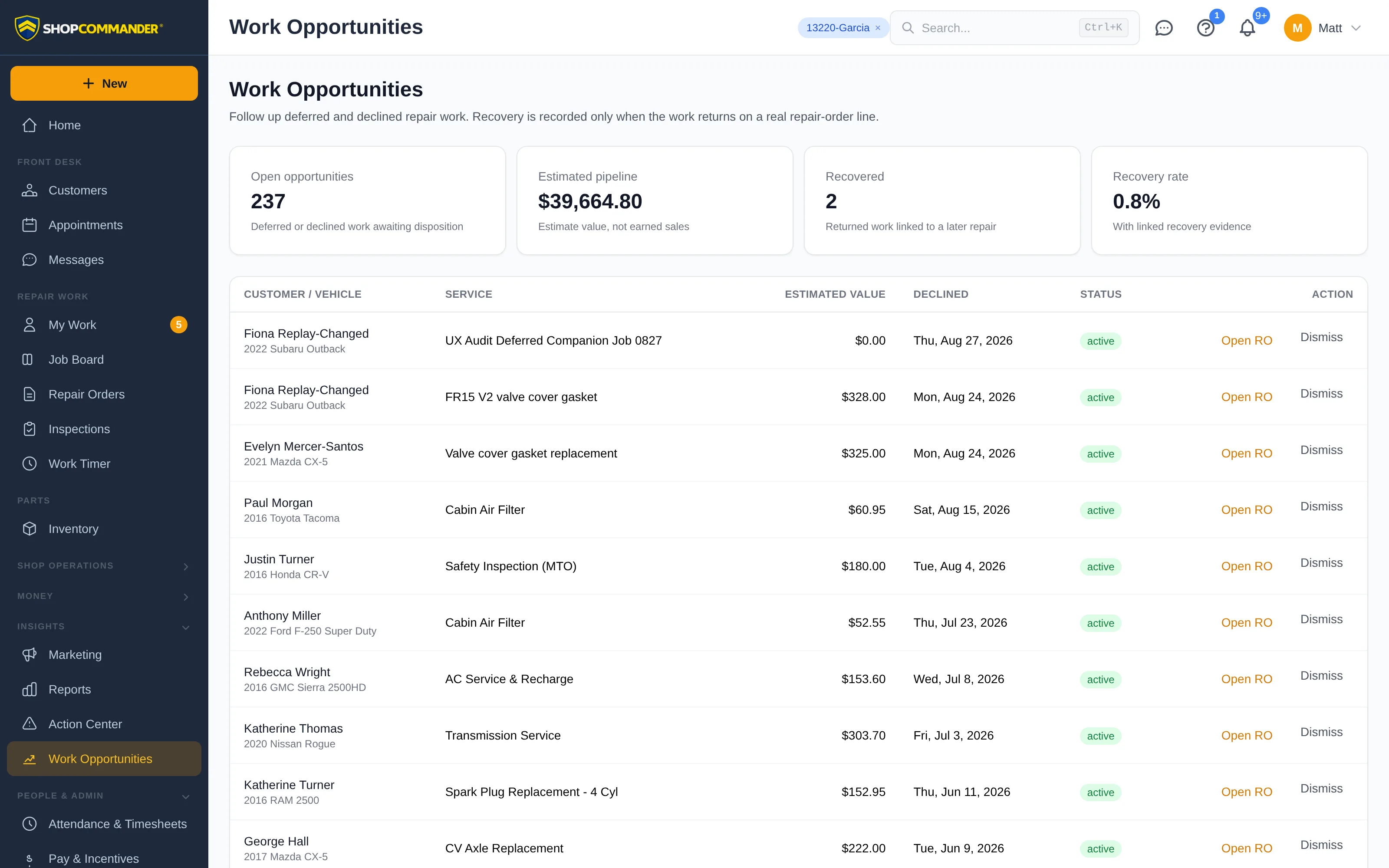
Work through the queue
The list shows customer and vehicle identity, the recommended service, the opportunity value, how old the decision is, the repair order it came from, and the follow-up state. It states the period it covers and how many rows are in it, and you can sort by highest value, oldest first, or most recently declined.
The period, disposition, sort, search and page number are all in the URL, so refresh, Back and Forward preserve your place in a long queue — and a link you send someone opens the same list you were looking at.
Follow up from the source
Open the source repair order when you need service history, authorization detail, or customer context. The opportunity remains connected to the recommendation that created it; following up does not create a second, disconnected source of truth.
Use Record permanent decline only when the customer has permanently declined the work. The confirmation names the customer, service and vehicle and explains that this records a permanent decline and removes the item from active follow-up. It does not mark the work as recovered.
Measure actual recovery
Pipeline value is an estimate of available work. Recovered sales are reported only when the work returns and is actually earned. Keeping those measures separate prevents an open opportunity from being counted as completed revenue.
Recovery performance reports those measures for a period — how much declined and deferred work came back as posted sales — and reads the same records as this list, for the same window. This queue is where you act; that report is where you measure. Open it from the header, or from Reports under Customers & Opportunities.
Next: Reports — Recovery performance, beside the rest of the catalog.