Business Office
Manage attendance, pay and incentives, accounts payable, cash drawers, and known contribution in separate addressable workspaces.
Business Office connects five financial and workforce workspaces with real links. Each workspace has its own URL, so refresh, Back, Forward, bookmarks, and shared internal links return to the same place.
Only enabled features and permitted workspaces appear. Disabling an optional module removes its navigation and current actions while preserving its historical records.
Attendance and timesheets
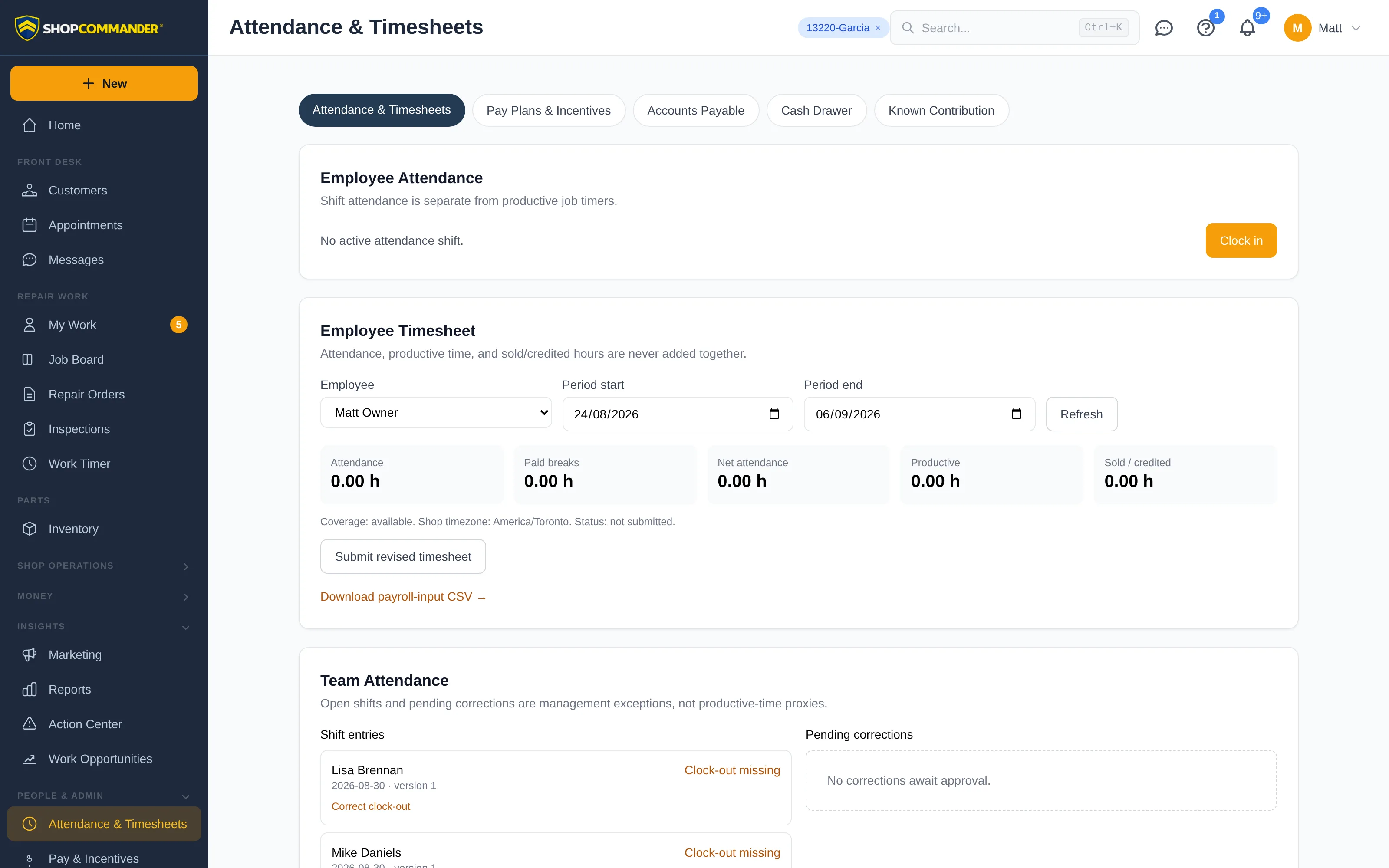
Attendance records when an employee is present for the workday. It remains separate from Productive Time, which comes from active job or task timers, and Sold Time, which is labor sold or credited under the shop's rules.
Employees can review their current shift and period. Authorized managers can review team attendance, decide correction requests, submit valid periods, and reopen corrected periods for reapproval. Approved snapshots remain visible when later corrections change the current calculation.
Pay and incentives
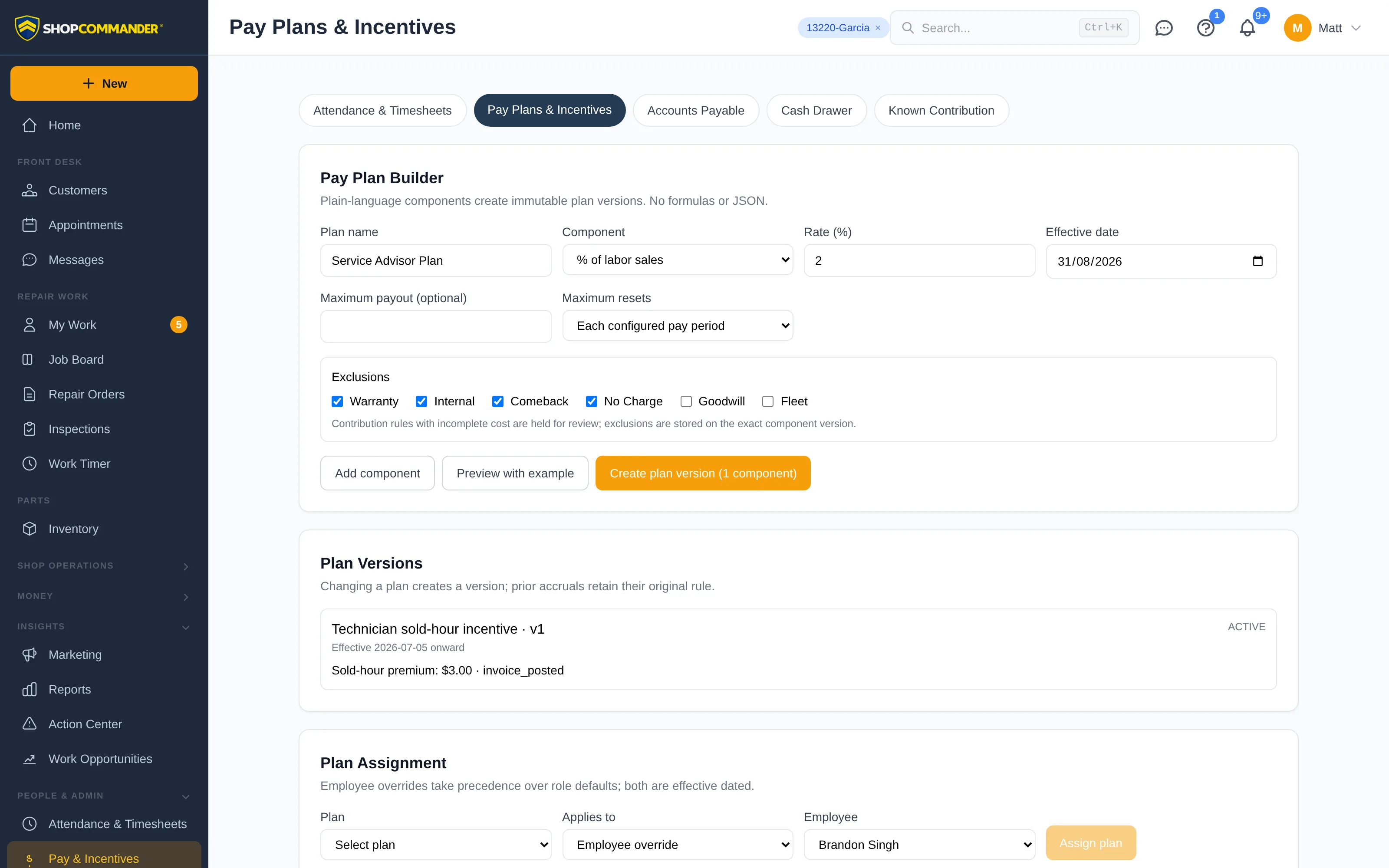
Pay & Incentives contains versioned pay plans, employee assignments, commission or spiff rules, previews, and accrual review. A load failure is shown as unavailable data with a retry action; it never appears as an empty pay-plan list.
Read plan dates, versions and limits
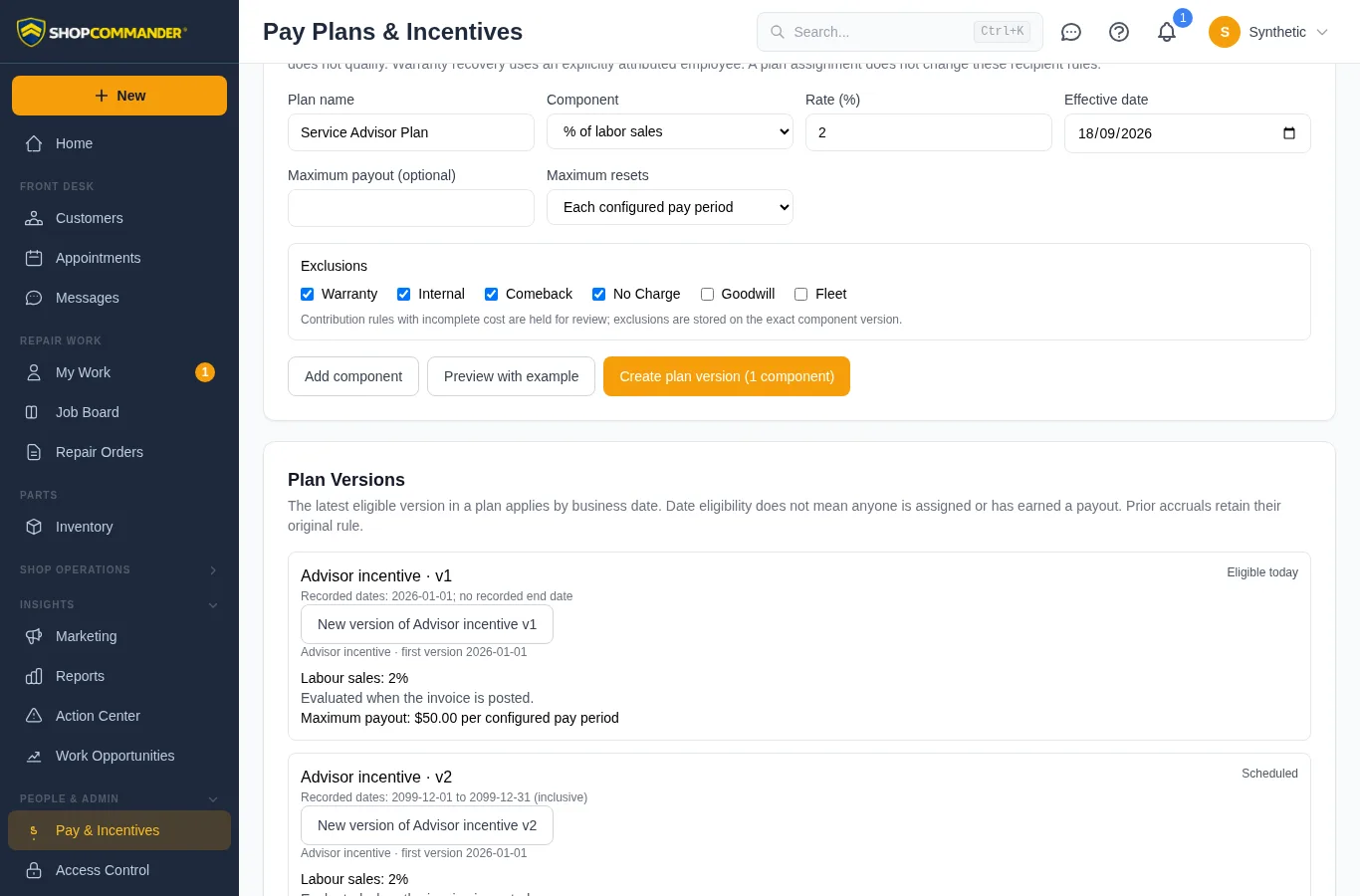
Scheduled means a version starts in the future. Eligible today means its dates make it the applicable version of that plan today; an employee still needs an eligible assignment and qualifying work to earn anything. Recorded end dates are inclusive. Where versions overlap, the latest eligible start date applies. A prior version with no recorded end may apply again after a newer version ends.
Each component shows its saved maximum payout and reset period when a cap is configured, including a zero cap. Plan Assignment lists each plan once. Separate plans with the same name show their first-version dates (and a reference if the dates also match). Choose Assignment starts to see which version would apply on that date. The assignment follows eligible versions over time, rather than locking a single version. A missing eligible version produces a review warning.
Review the source behind an accrual before approval when you need to confirm how it was calculated. Exports use the selected period and preserve the distinction between attendance, productive time, sold time, and incentive earnings.
Accounts payable
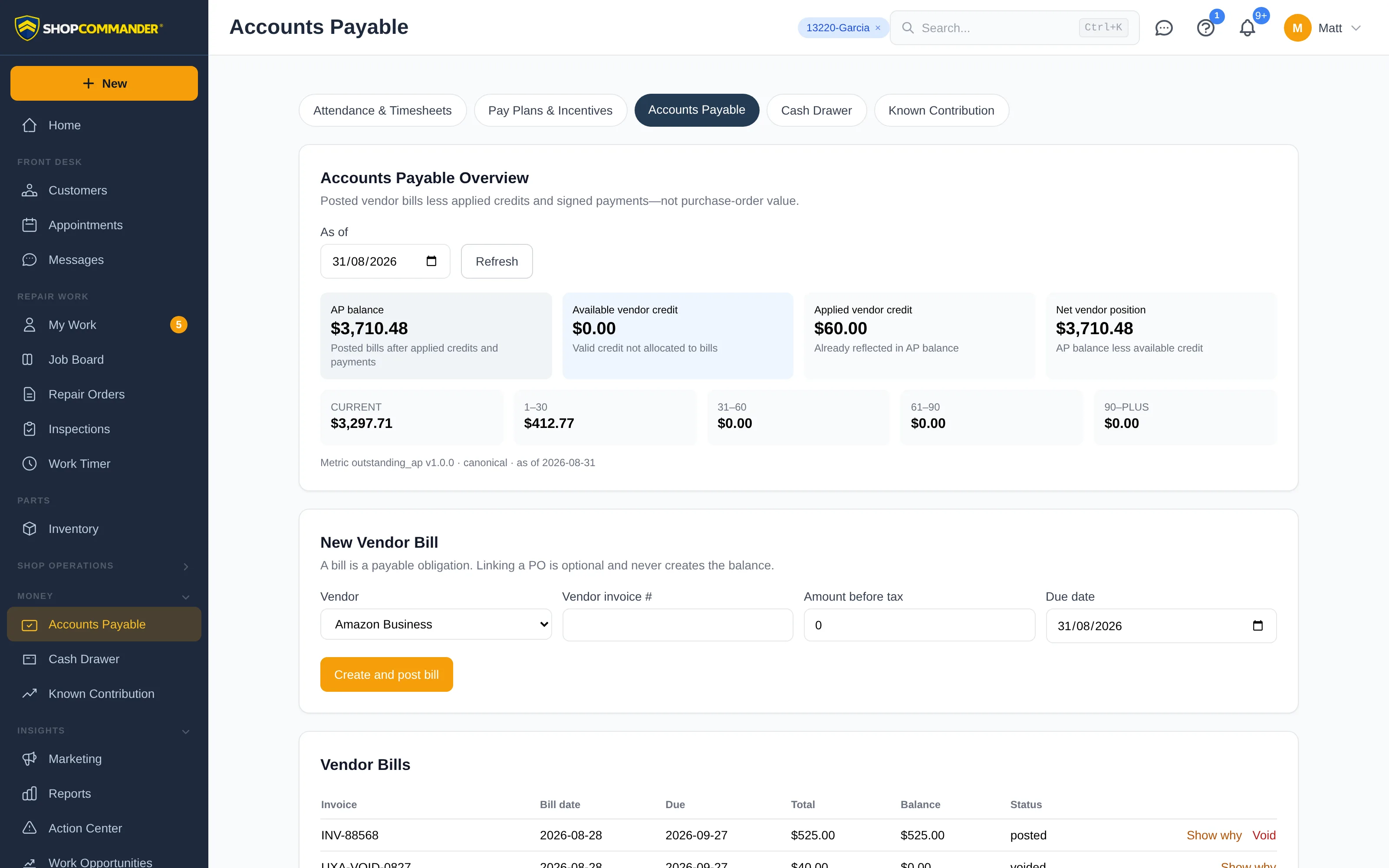
Accounts Payable manages vendor bills, credits, payment allocations, and aging. Draft, posted, partially paid, paid, voided, and reversed states retain their audit history. A failed request is shown as unavailable, never as a false claim that no bills or obligations exist.
Use the vendor invoice reference and source links to verify a bill before posting or paying it. Payment and reversal actions remain permission- and state-aware.
Cash drawer
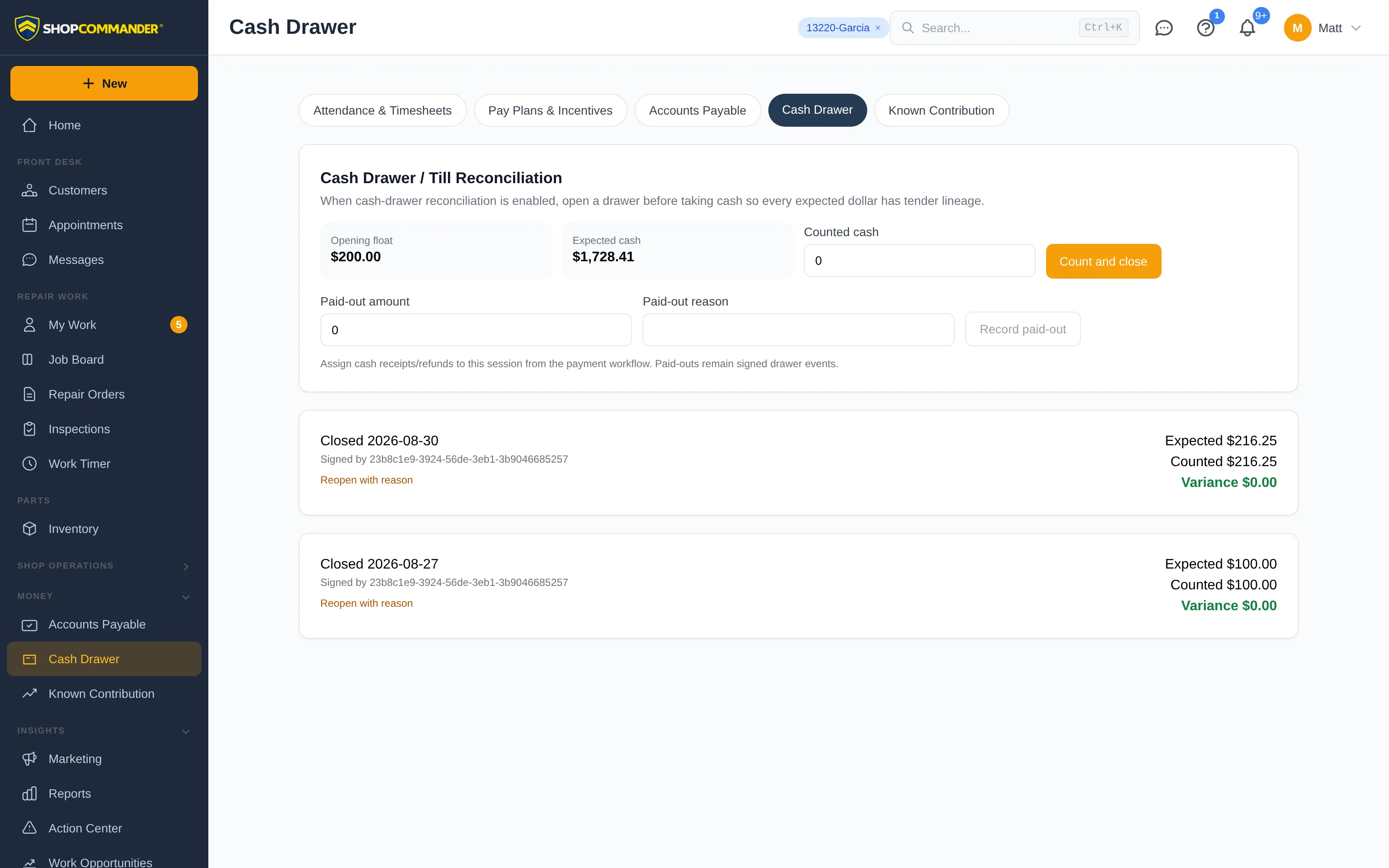
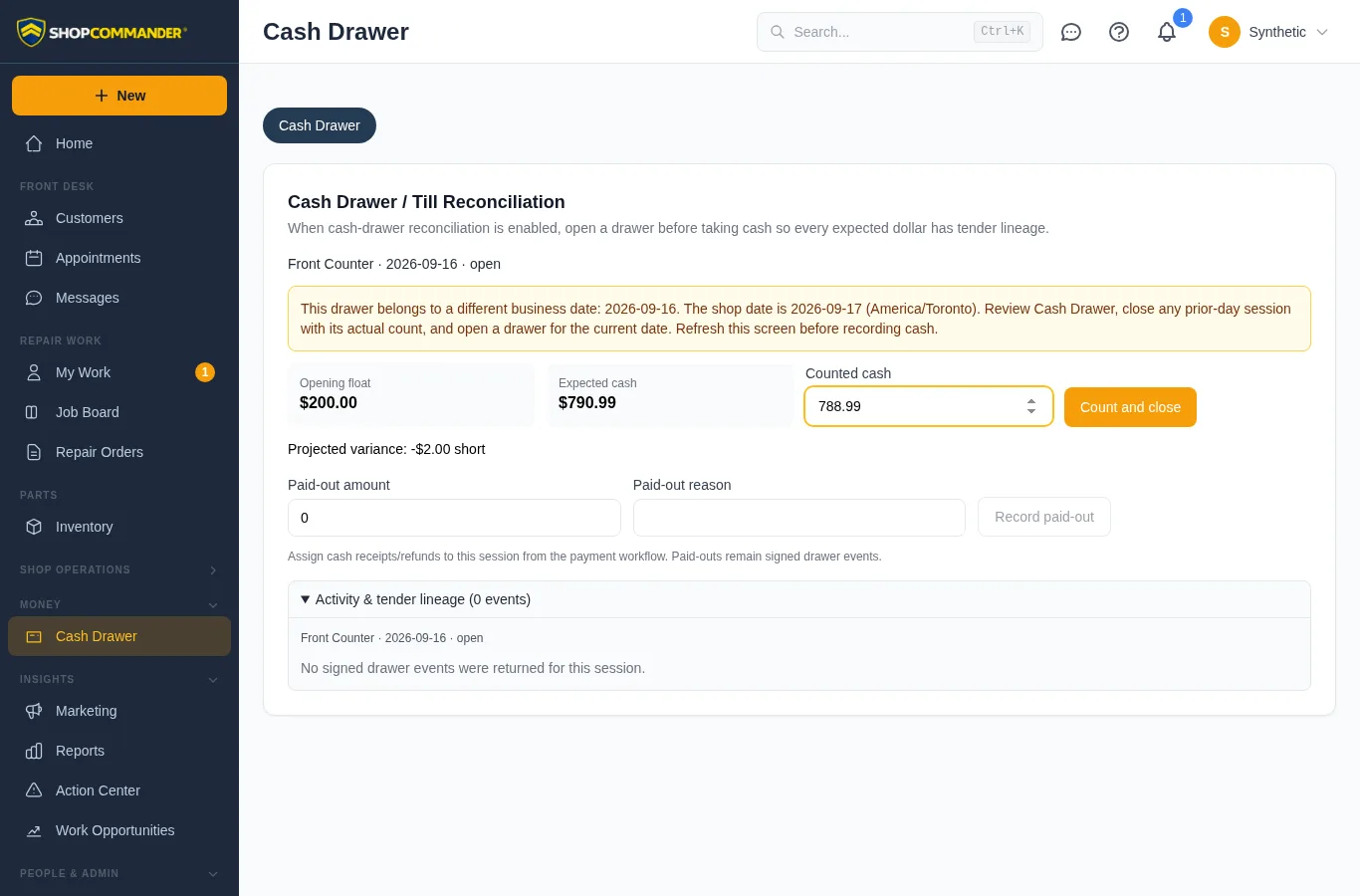
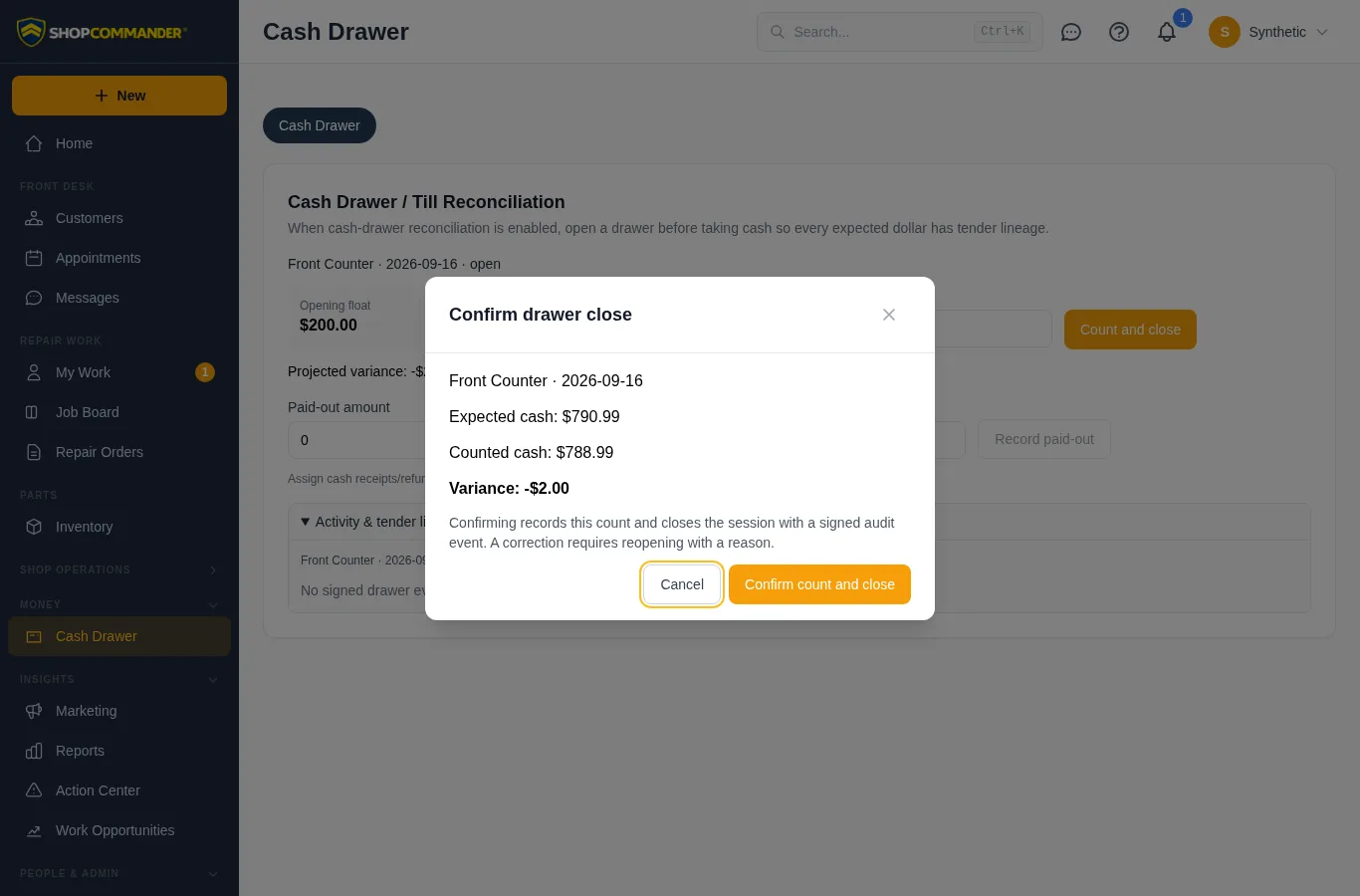
Cash Drawer tracks each drawer session from opening through tender linking, paid-outs, count, close, and authorized reopen. Enter a deliberate count to see the projected shortage or overage, then review the drawer, business date, expected cash, counted cash, and variance before confirming close. Closing requires close and sign-off permission. A cash movement after the reviewed count causes a conflict: cancel, refresh, and review the current expected cash before closing. Failed closes retain the reviewed count; retry uses the same request identity.
During the last 15 minutes of the shop’s business date, drawer and cash-payment screens warn that cash recorded after midnight needs a drawer for the new date. An open drawer from a different date stays labelled with its original date and shows count/close/open guidance. The repair-order payment form rechecks available drawers when the date changes and preserves the payment draft. Other cash dialogs show the date notice; refresh the screen to recheck availability. The server remains responsible for accepting or refusing a drawer.
Known contribution
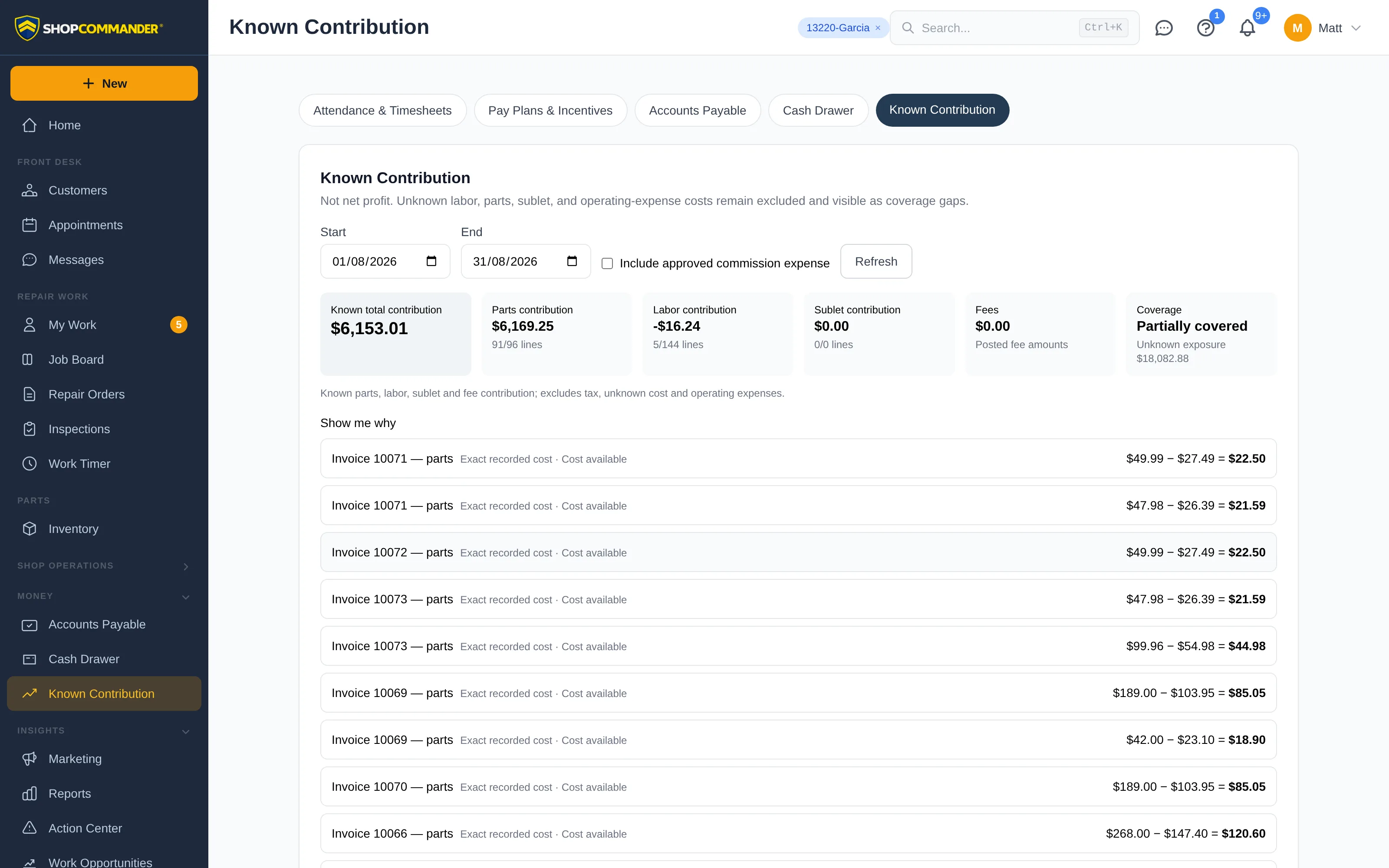
Known Contribution combines recorded sales and known costs for the selected period. Coverage labels explain which costs are authoritative and which remain unavailable or partial. A recalculation failure leaves the prior result visibly stale rather than replacing it with zero.
Technical provenance is available when authorized, while the main workspace uses business language such as Exact recorded part cost and the applicable labor-cost basis.
Next: Reports — reconcile posted financial activity and inspect source rows.
Correct a pay-plan assignment
Under Pay Plans & Incentives, review Assignment history and choose Correct assignment. Select the intended plan, optionally specify an inclusive end date, and give a reason. A correction retains the original assignment as superseded history. It changes subsequent accrual evaluation; existing accruals and approvals are not recalculated or deleted. A concurrent correction requires reloading history before trying again.
Sold-hour components in the builder qualify the technician receiving sold-hour credit. Other sales/RO components qualify the assigned advisor; being job lead alone does not make an employee eligible. The rule preview tests the supplied amounts; it is not proof that a particular posted invoice qualifies.
Spiff start/end errors stay beside the date fields and preserve the draft. An end date before the start is refused before sending; the same date is allowed because the displayed end date is inclusive. Server refusals remain visible until the next attempt.
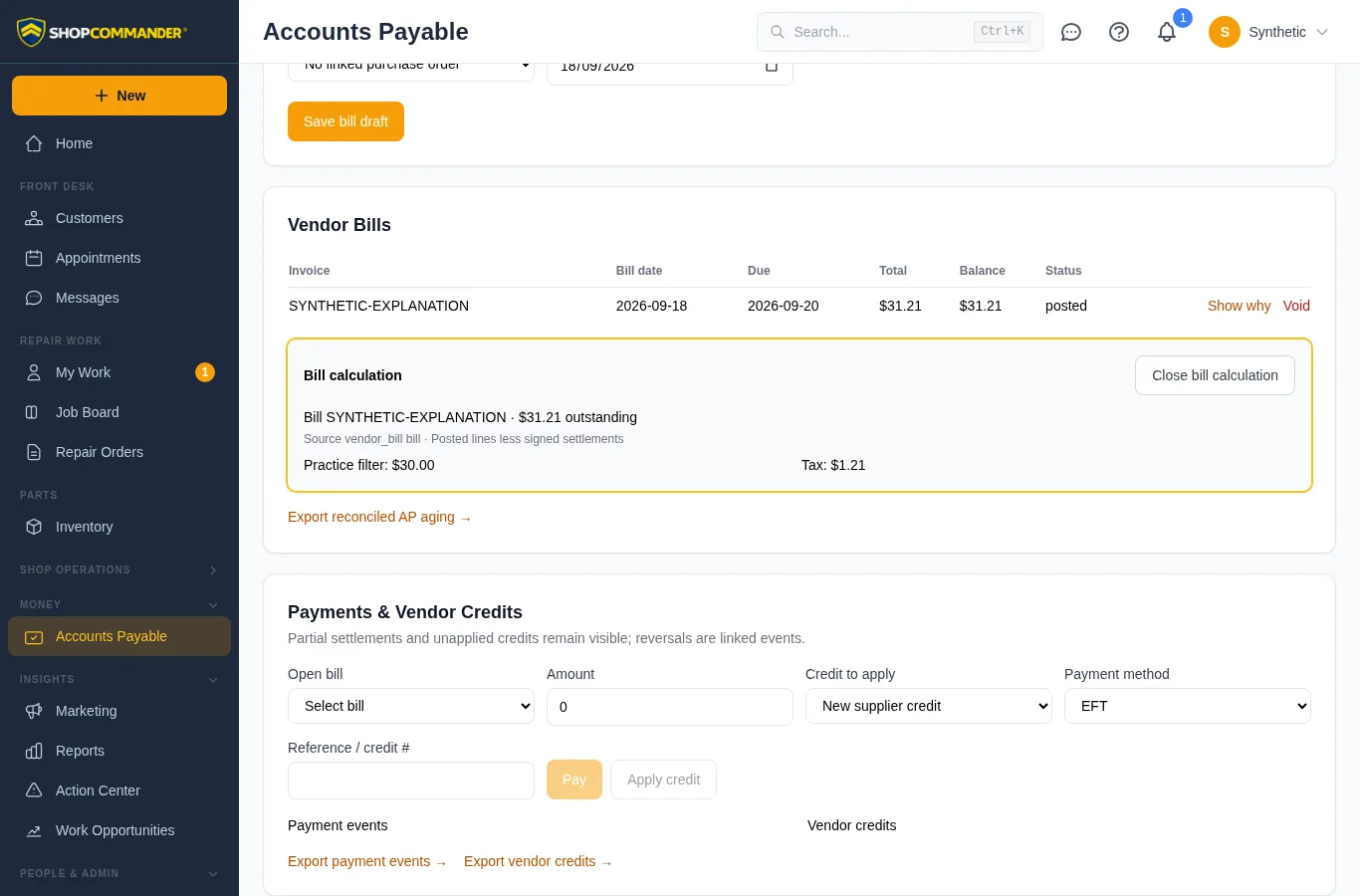
Explain a vendor-bill balance
In Vendor Bills, choose Show why. The calculation section comes into view and receives keyboard focus. It shows the source, line amounts, tax and signed settlements behind the outstanding balance. If the read fails, use Retry bill calculation; an unavailable calculation is never displayed as a zero balance. A failed refresh labels previously loaded values as potentially stale. Close bill calculation returns focus to the original control.