Customers
Find the correct customer, manage contact and consent facts, and open vehicles, visits, decisions, alerts, and value history.
The customer record is the durable identity for contact details, preferences, vehicles, visits, messages, decisions, alerts, and history. Search before creating so a second spelling or phone number does not become a disconnected person.
Finding people fast
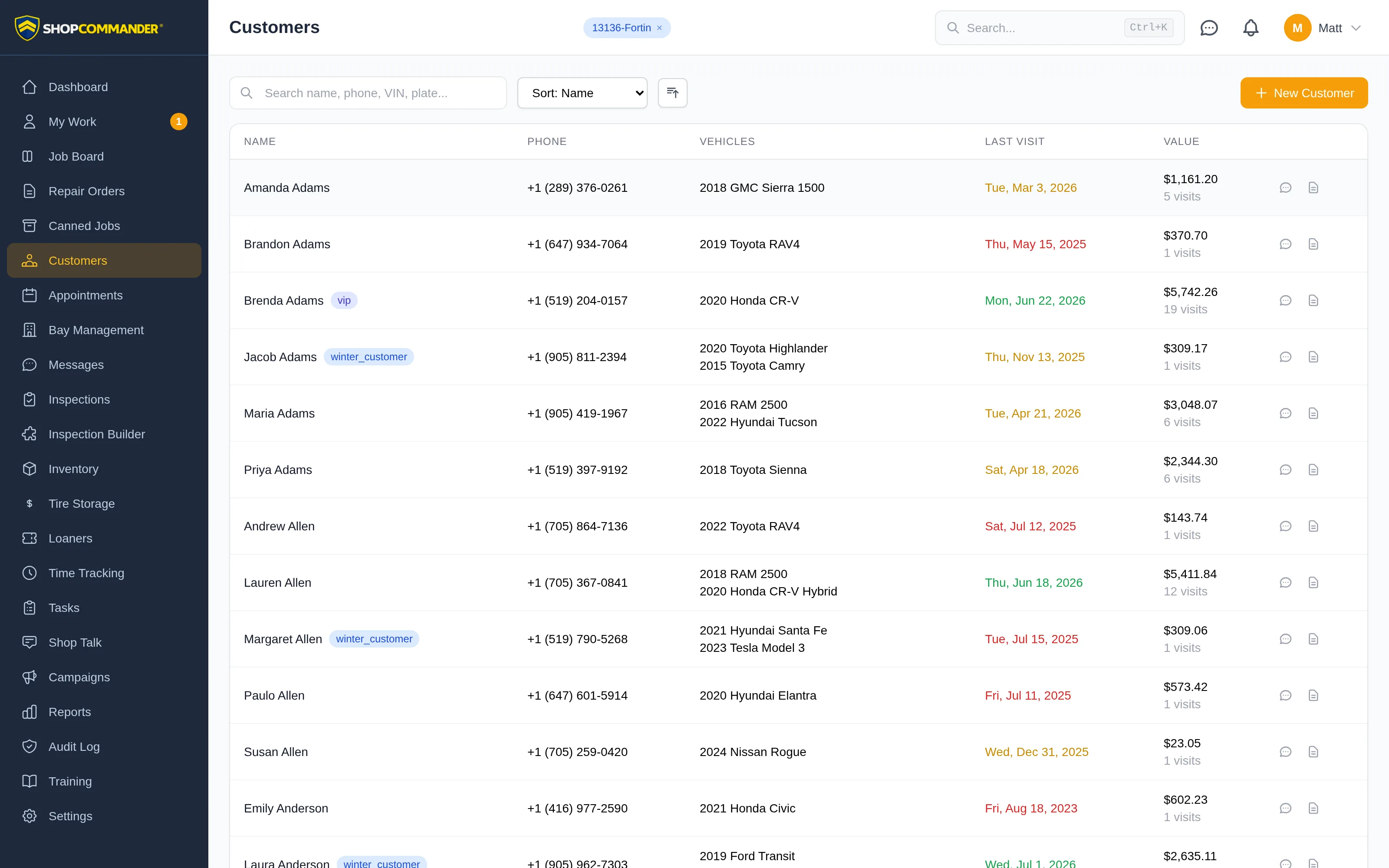
The search box takes a name, phone number, VIN, or license plate — whatever you happen to have. Sort the list by Name, Last Visit, or Total Spent. Each row shows the customer's phone, vehicles, last visit, and total value, and two quick actions sit right in the row: Send Message to text them, and New Repair Order to start a job without opening the profile first. The New Customer button captures name, contact info, address, and internal notes.
Contact details and possible duplicates
When you enter a phone number, include its area code or use + and its country code. Email addresses need a complete domain, such as name@example.com. Invalid contact details stay in the form with an explanation so you can correct them before saving. These checks do not establish whether a phone number or inbox belongs to the customer.
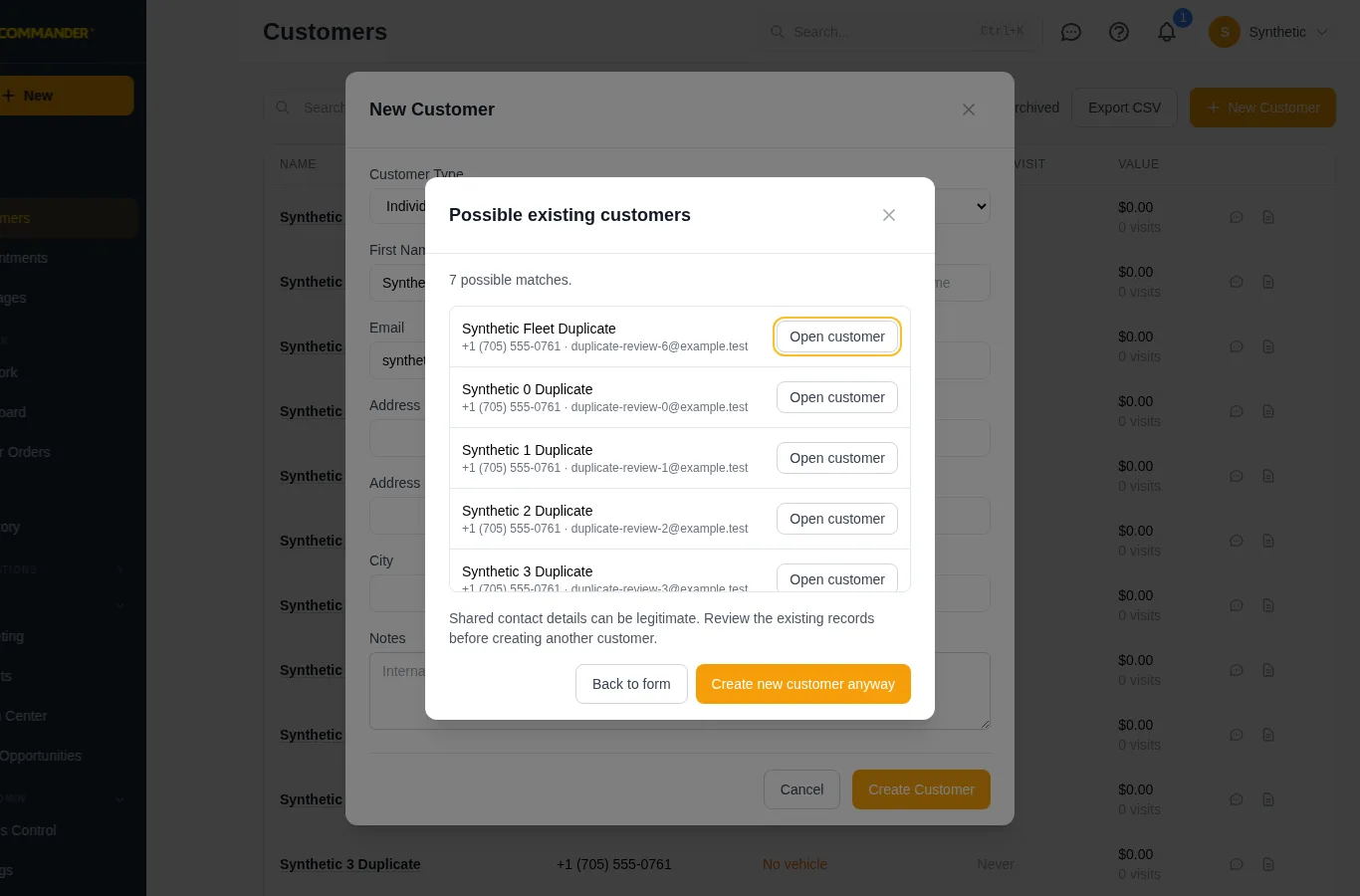
Before creating a customer, Possible existing customers shows matching records and the total found. Use Open customer to inspect an existing profile, Back to form to keep editing, or Create new customer anyway when a separate record is appropriate. Shared household contacts can be legitimate. If more than 50 records match, the dialog says how many are shown; search Customers to review the rest. A failed lookup is disclosed and requires an explicit decision before creation.
The customer profile
Open a customer and everything about them is on one screen.
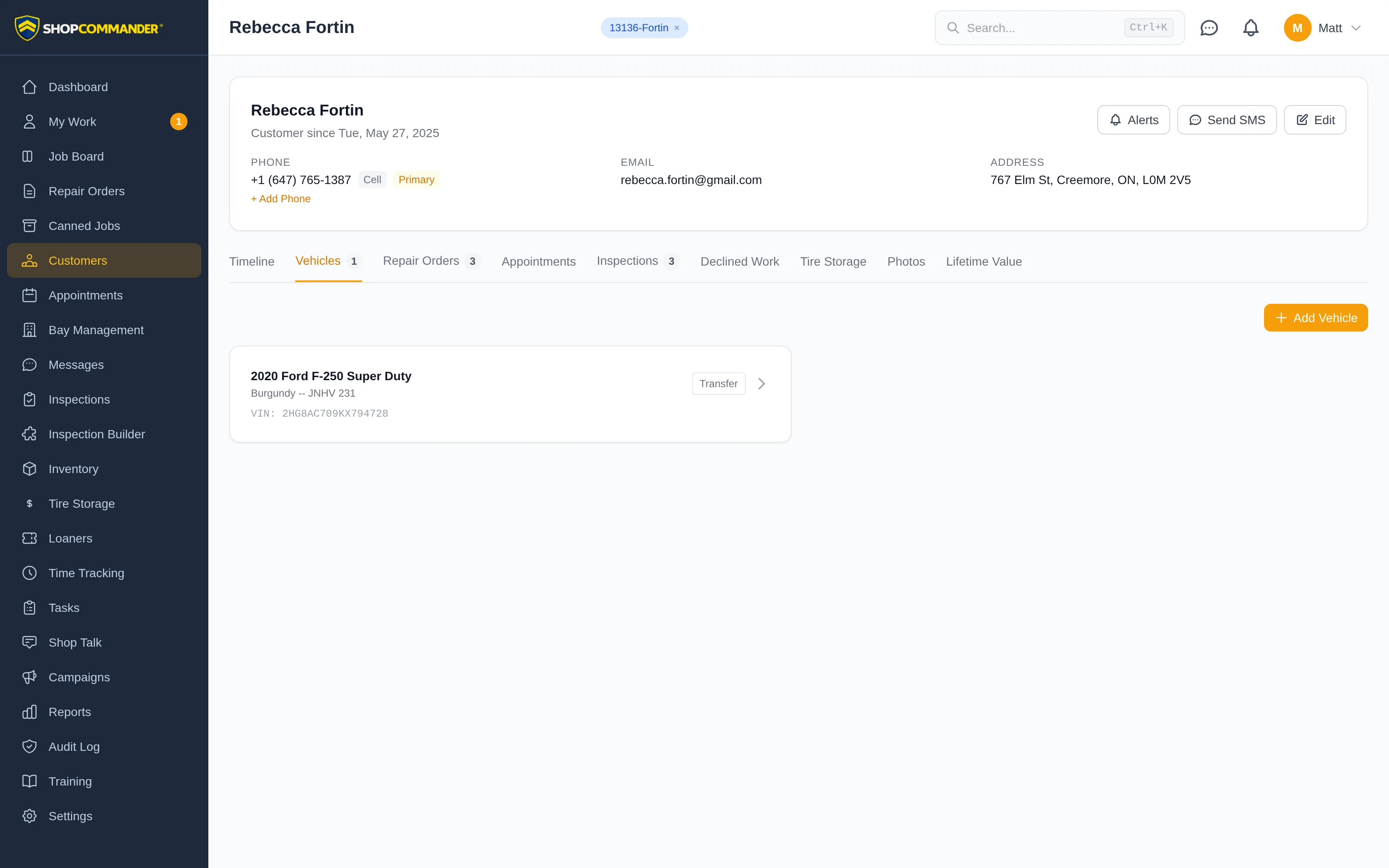
The header shows the customer identity and available account facts, with New RO, Book Appointment, and a More menu for permitted actions such as Edit customer, alerts and messaging. A customer can have multiple phone numbers with labels (cell, work, home) and a primary flag — use + Add Phone to stack them up.
Edit also holds the automated-message controls: opt a customer out of texts or emails when they ask at the counter. Customers can opt themselves out too — replying STOP to any text or clicking the unsubscribe link in an email — and Shop Commander honors it automatically.
Available tabs cover the relationship, including Timeline, Vehicles, Repair Orders, Appointments, Inspections, Declined Work, Tire Storage, Photos, and Lifetime Value when the corresponding capability and access are available. Treat declined work as follow-up context, not earned revenue.
Alerts
Alerts are notes that refuse to be missed. Create one on the profile — Critical (Red), Warning (Amber), or Info (Blue) — and it shows as a banner whenever anyone works on that customer's repair order. Customers with active alerts also get flagged in the customer list and get a red border on the Job Board. Use them for balance-due situations, VIP handling, health concerns, or "always call before extra work." Alerts can auto-expire on a date you set.
Review relationship value
The Lifetime Value tab shows the current recorded revenue, visit count, and average repair-order value. Use the underlying visit history when a decision needs explanation. Value or a tag does not itself authorize credit, a discount, a loaner, or different service.
Every vehicle on the profile links to its own record — see Vehicles for what lives there. And every job you write flows back here automatically; see Repair Orders.
Fleet accounts
Open Edit Customer to enter a company name or select Fleet account. Company name and fleet controls are available for existing personal customers too. Selecting fleet reveals the billing contact and account fields; review them before saving.
When another person saves first
A conflicting customer save keeps your draft in Edit Customer. Choose Review latest details without closing the editor. Untouched fields retain the latest saved values; if both people changed a field, explicitly choose Keep latest or Keep my value. Apply reviewed choices to draft prepares the form, then Save Changes saves it. A failed review retains your draft for retry. Cancelling discards the unsaved draft.