Work Timer
Start or switch Productive Time on real assigned work and keep it distinct from Attendance, Sold/Credited Time, and pay.
The navigation label is Work Timer. It records Productive Time—the time a person actively records against a real repair-order job or task.
Start productive work
Open Work Timer or the eligible assigned work and choose Start work. Select the real job/task available to you. Starting another eligible assignment uses the current switch workflow so two active productive contexts are not silently created.
Stop and review
Stop & Pause submits the pause on its first press. Optionally choose a reason beforehand; no reason is required. While the request runs, pause and switch actions are disabled. A refused or uncertain pause remains visible with a retry action—check the status before walking away. This pauses work without completing the job.
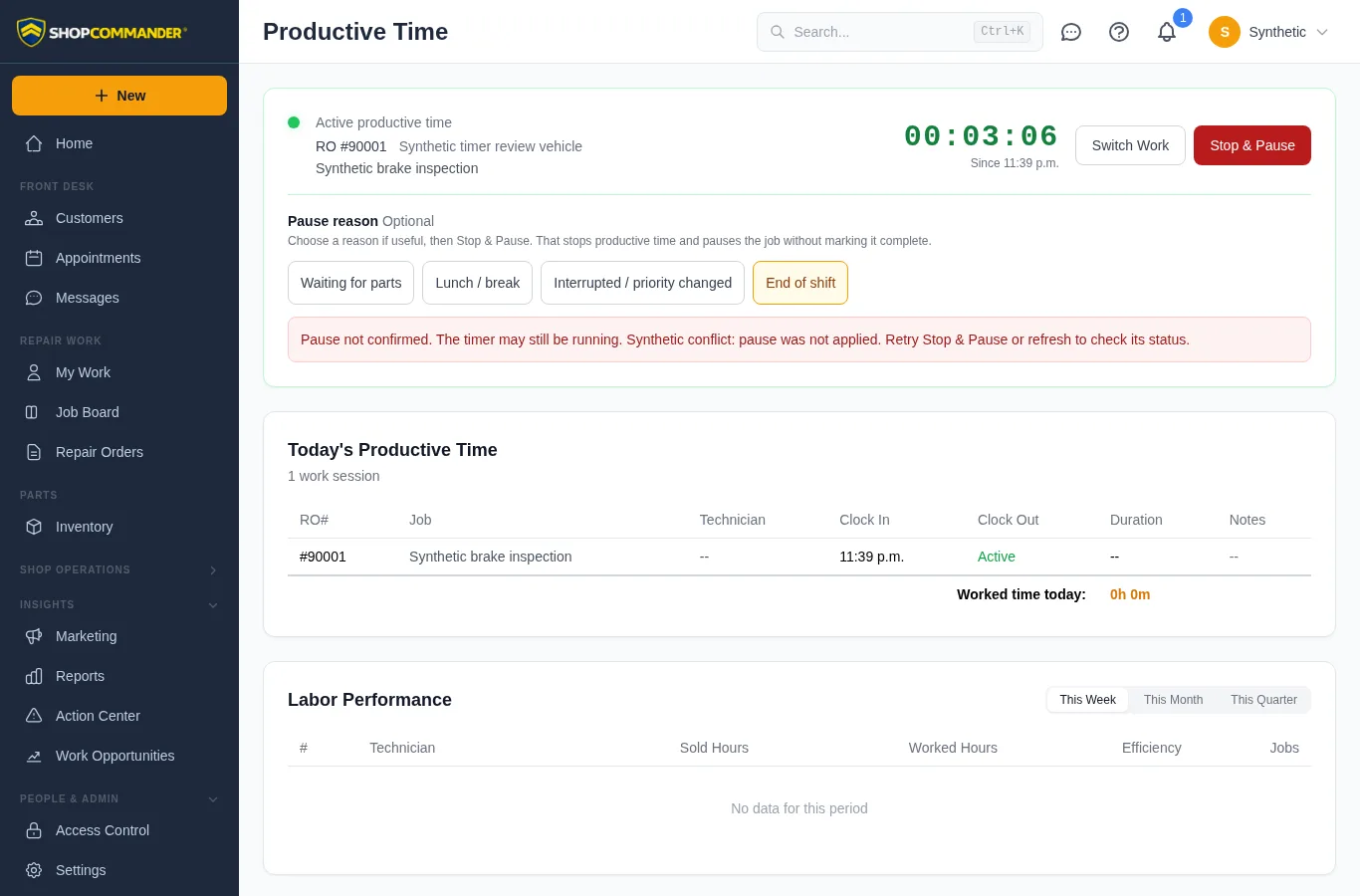
Stop the timer when productive work ends. The history shows the work identity, start/end, duration, notes, and any authorized correction. Corrections retain before/after values, reason, editor, and time.
Keep the four time concepts separate
- Attendance — when the person was present for the workday.
- Productive Time — actual timer entries against jobs/tasks.
- Sold/Credited Time — labor hours credited under the shop’s work/pay rules.
- Pay & Incentives — governed compensation plan and accrual facts.
A missing denominator stays unavailable; ShopCommander does not infer a ratio. Starting Work Timer does not clock Attendance, create sold hours, approve a timesheet, or determine pay.
See Business Office for Attendance & Timesheets and Pay & Incentives.
Breaks, shift end and reassignment
When starting an unpaid break or ending Attendance with an active productive timer, choose Pause work and continue or Keep timer running and continue. Review the displayed job before choosing. If attendance fails after the timer stops, retrying does not stop it again.
Reassigning the job ends the former technician's stored timer and updates an open Work Timer screen. A failed timer read shows an unavailable state and a retry action. Authorized corrections accept seconds in the shop timezone and retain the correction history.