Developer API
Connect your own website, fleet system, or accounting tools to Shop Commander with API keys and signed webhooks.
Settings → Developer is where you grant outside software access to this shop's data. It answers two questions without a support ticket: what has access to my data? and what has it been doing?
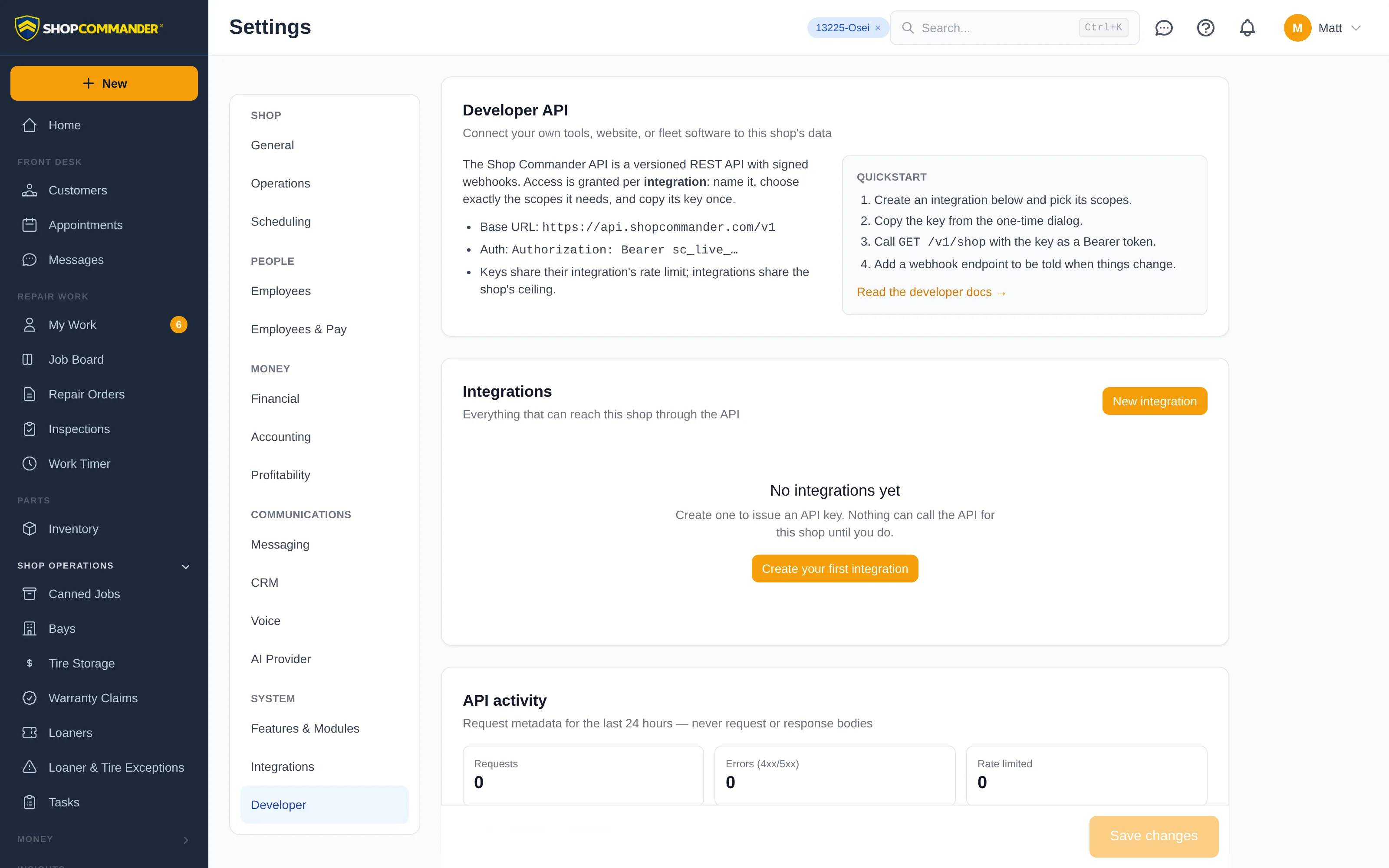
The API itself is documented for programmers at shopcommander.com/developers — this page covers the shop-owner side.
Integrations
An integration is one piece of software you trust: your website's booking form, a fleet customer's maintenance system, an accounting export. Each integration gets its own name, its own scopes, and its own API keys, so you can see exactly what each one can reach and switch any of them off on its own.
Create one with New integration: name it, tick only the scopes it needs, and copy the key from the one-time dialog. The key is shown once — if it is lost, issue a new one from the integration; the old key keeps working until you revoke it.
Scopes
Scopes are the permissions an integration holds, in the same vocabulary as staff permissions. Read scopes see data, write scopes change it, and scopes marked sensitive (customer contact details, payment ledger, part costs, job execution) can only be granted by someone who holds that permission themselves. Every request the integration makes is checked against the shop's normal access rules, so an integration can never see more than its scopes allow.
API keys
Every newly issued key has an explicit lifetime: 30, 90, 180, or 365 days.
Ninety days is the recommended default. The key list shows the expiry date;
issue the replacement, switch the caller, then revoke the old key. Two usable
keys may overlap so rotation does not require downtime. Older keys created
before this policy may show never (legacy) and should be rotated deliberately.
Each integration can hold up to two active keys so you can rotate safely: issue a second key, move the caller to it, then revoke the first. Revoking a key or an integration takes effect immediately — revoked integrations stay listed for the record.
Webhooks
Instead of polling, an integration can register webhook endpoints — HTTPS addresses Shop Commander calls when something changes (a customer is created, an appointment is booked, an invoice is posted). Pick the events each endpoint should receive, or leave the list empty to receive every event its scopes allow.
Every delivery is signed. The signing secret is shown once when the endpoint is created or rotated. After rotation, both the old and new secret verify for 24 hours; update the receiver during that bounded grace period.
Deliveries shows every attempt to each endpoint — the event, the HTTP response, timing, and any error — with the exact payload that was sent. Resend replays one, and Send test queues a clearly marked test event so a developer can check their receiver end-to-end. Endpoints that fail continuously for three days are disabled automatically (you are notified in-app); fix the receiver, then Enable it again.
API activity
The activity log lists recent requests from every integration — when, which route, the response status, how long it took, and whether the rate limit applied — plus 24-hour totals. It records metadata only, never request or response bodies. Changes an integration makes to shop records also appear in the normal audit history attributed to that integration by name.
Rate limits and safety
Every integration has a fair-use rate limit, and all of a shop's integrations share one ceiling, so a runaway script cannot slow down the shop floor. If a key is ever exposed: revoke it here, issue a replacement, then review the integration's activity and the audit history for anything unexpected.