Role-Aware Home
Understand what Home shows Owners, Administrators, Managers, Service Advisors, Technicians, and Apprentices.
Home answers the current question for the signed-in person. It uses the standard role, the person’s actual permissions and shop scope, enabled features, provider readiness, current workflow state, and available data.
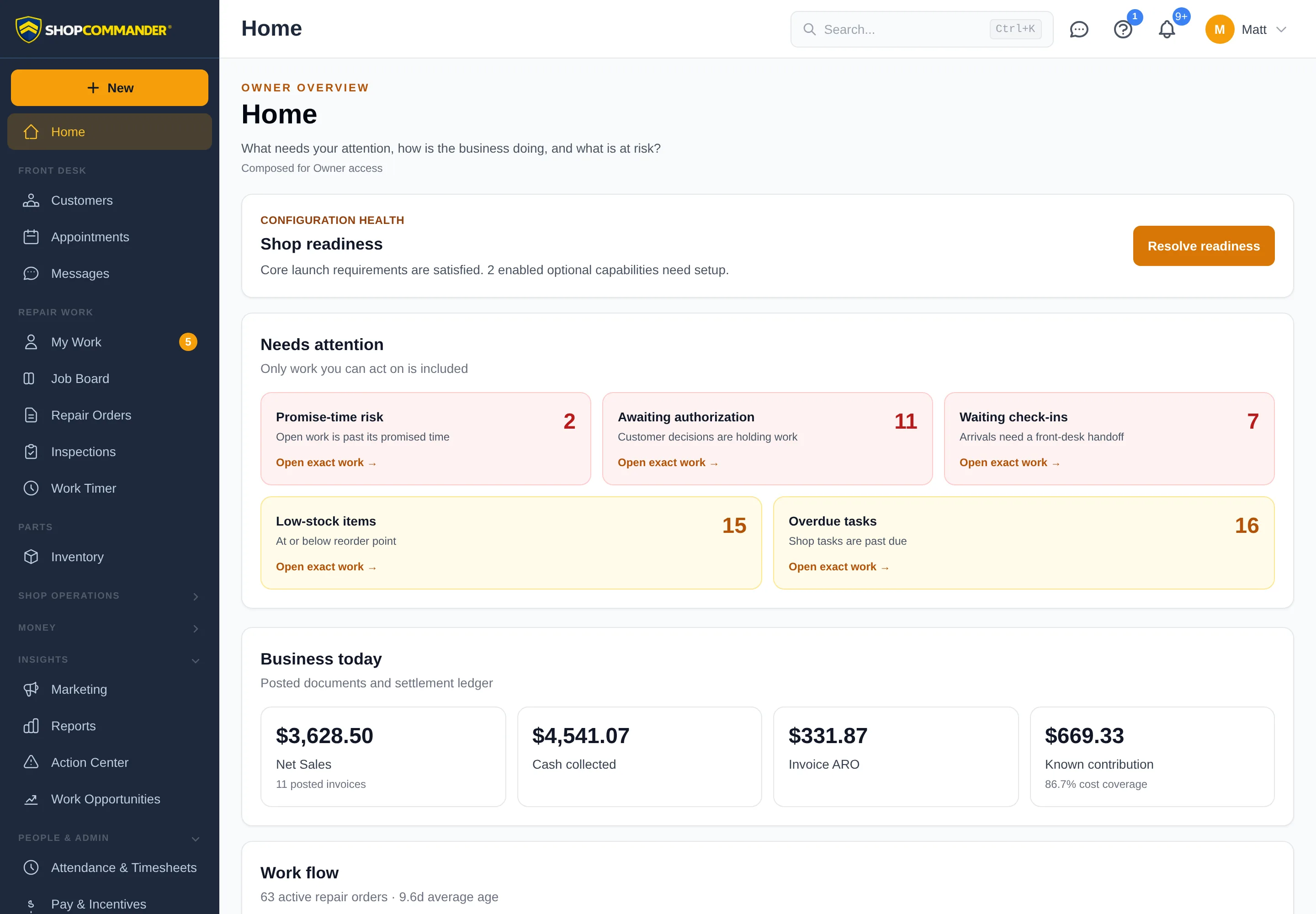
Standard role emphasis
| Role | Home or normal landing answers |
|---|---|
| Owner | What needs attention, how is the business doing, and what is at risk? |
| Administrator | Is ShopCommander configured correctly, and what administrative work needs resolution? |
| Manager | What is happening on the floor, what is stuck, and where is intervention needed? |
| Service Advisor | Which customer or repair order needs something next? |
| Technician | What assigned work is current, Ready Next, waiting, or complete? |
| Apprentice | What is assigned, blocked, ready for supervisor review, or returned with notes? |
Technicians and Apprentices normally land on My Work. Loading /dashboard directly still gives them a useful personal Home without management, customer, or financial leakage.
Needs attention and exact destinations
Home summarizes the source workflows. Each actionable card links to the exact record or page—Appointments, Repair Orders, My Work, Job Board, Action Center, Reports, Accounts Payable, Work Opportunities, or the relevant setting. Home does not change the underlying record or resolve evidence by itself.
Empty, unavailable, and withheld are different
- Valid zero or empty appears only after a successful source response.
- A failed source appears as unavailable or stale/partial, never as zero or “all clear.”
- Forbidden or disabled sections are not requested or rendered.
- Enabled-but-unconfigured recovery appears only to a person who can and should fix it.
- A role with very limited access gets a useful orientation and only allowed destinations, never a blank page.
Use Reports for defined measures and Action Center for everything that needs a decision.